
Mortal Kombat — Sega Genesis (original North American release) — Strategy Guide
Strategy guide for the original North American Sega Genesis release of Mortal Kombat. Covers the seven selectable fighters, Genesis three-button and six-button controls, Battle Plan progression, Test Your Might, the mirror and Endurance sections, Goro, Shang Tsung, Genesis-specific specials and Fatalities, The Pit, ABACABB, DULLARD, and the optional Reptile encounter. The guide uses the exact Genesis move reference as its primary command authority and labels only genuinely conflicting reports as alternatives requiring target-build verification.

Find a copy
Mortal Kombat Sega Genesis / Mega Drive
We may earn a commission if you buy through these links, at no extra cost to you. As an Amazon Associate I earn from qualifying purchases.
Opens retailer search results. Check the model, edition, seller, availability and current price before buying.
Before you begin
This guide covers the original Sega Genesis release of Mortal Kombat, not a remake, compilation, later port or ROM hack.
It covers the seven ordinary selectable fighters, Genesis controller mappings, Battle Plan progression, Test Your Might, the mirror and Endurance sections, Goro, Shang Tsung, Genesis-specific specials and Fatalities, The Pit, ABACABB and DULLARD. Reptile is optional hidden content whose exact availability and clue behavior must be verified on the target Genesis build.
On the three-button pad, universal uses , universal uses , universal uses , and is . The universal chart may describe as +, but character-specific Genesis references explicitly mark several -listed commands as using — physical — on a three-button controller. Follow each character's exact command note instead of applying one punch translation to every move.
For Reptile, the qualifying Pit combat requires one-player CPU mode, The Pit, the applicable moon-silhouette event, Double Flawless victory, no during the qualifying combat and the selected character's own Fatality. Fatality-time handling is disputed; verify the target setup and do not impose a universal no- Fatality technique.
Use Versus mode for practice, verify the physical controller mapping, and mirror and whenever the fighters change sides.
Set yourself up for the run
Use the verified three-button Genesis layout or a six-button Genesis pad. On the three-button pad, is , is , is , and is . The universal move chart may use + for , but character-specific Genesis entries that say “use if using 3 Button Controller” must be entered with physical .
Set Difficulty deliberately. The documented choices include Very Easy, Easy, Medium, Hard and Very Hard.
Set Credits before starting the ladder. Do not describe a normal round-count setting because it is not part of the documented Genesis Options screen.
Enter ABACABB at the opening Code of Honor screen if you want blood and the uncensored Fatality presentation. The code is separate from the optional DULLARD menu.
Practice specials, distances, punishments and Fatalities in Versus mode or through repeated arcade attempts. There is no standard Training mode in this release.
Use and relative to the opponent and mirror them whenever the fighters change sides.
Treat conflicting exact-Genesis reports for throws, Green Bolt, Cannonball, Heart Removal, Teleport and Sonya's alternate Leg Grab as target-build checks. Use the exact Genesis command and its three-button instruction where available.
Before attempting Reptile, verify that the hidden event occurs on the target cartridge or dump. The no- rule applies to the qualifying Pit combat. Fatality-time handling is disputed and must be verified separately.
Do not enable DULLARD flags during a normal completion attempt unless the objective is specifically to test Genesis secrets.
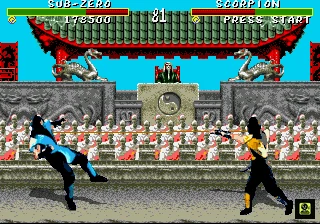
System & Controls — Genesis button mapping, distances and input conventions
Verify the active controller before practicing specials or Fatalities. The original North American Genesis release supports both three-button and six-button controllers. On three buttons, [A] is [LP], [B] is [LK], [C] is [HK], and [Start] is [Block]. The Genesis-specific universal chart represents [HP] as [Back]+[A], although an older FAQ often treats high and low punches as one combined physical input. Use [LP] as physical [A], and use [Back]+[A] for universal [HP] entries unless a character-specific Genesis entry explicitly says to use [LP] on three buttons. On six buttons, [A] is [LP], [X] is [HP], [C] is [LK], [Z] is [HK], and [B], [Y], or sometimes [Start] can serve as [Block]. Close means directly beside the opponent; Sweep is outside dependable throw range but within Foot Sweep range; Full-screen means near opposite stage edges. Reverse [Forward] and [Back] after a side switch. Hold [Block] during a finishing sequence only when the command permits it, and release it before the final non-[Block] attack.
Verify the active Genesis controller layout
Test the controller during a live round. With the three-button Genesis pad, performs , performs , performs , and performs . The Genesis-specific move chart represents universal as +. This distinction matters: is simply , while requires the directional modifier in universal commands. An older Genesis FAQ describes high and low punches as combined because the three-button controller has only one physical punch button. Treat that as a practical compatibility note, not as permission to replace every documented command with .
With a six-button controller, use for , for , for , and for . is commonly or , with some Genesis references also listing . Hold each candidate during a round and confirm that the fighter enters the guard pose. Emulator profiles and third-party controllers can label Genesis buttons differently, so verify the active mapping rather than relying on the shell’s printed labels.
- Three-button: = .
- Three-button universal = +.
- Three-button: = .
- Three-button: = .
- Three-button: = .
- Six-button: = , = , = , = .
- Six-button is commonly or ; verify whether also works.
- Character entries explicitly marked “use ” on three buttons use physical .
Universal Genesis move reference
Use these functional labels when reading the character chapters. Head Blow — or — Close — use for the version or + for the universal version on three buttons. Knee — — Close — on three buttons or on six buttons. Crouched Block — +. Crouched Kick — + or . Uppercut — + or — Close. On three buttons, begin with + for the version; use , + only when the specific interpretation is required by the move reference.
Foot Sweep — + — Sweep. Roundhouse — + — Sweep. Flying Punch — , , or + or . On three buttons, the aerial version uses , while the version uses + if the attack allows the directional modifier. Flying Kick uses the same jump directions with or .
- Head Blow — or — Close — distinguish from +.
- Knee — — Close.
- Crouched Block — +.
- Crouched Kick — + or .
- Uppercut — + or — Close.
- Foot Sweep — + — Sweep.
- Roundhouse — + — Sweep.
- Flying Punch — jump direction + or .
- Flying Kick — jump direction + or .
Test throw range before practicing finishers
The Genesis references conflict on the universal throw command. One Genesis move list gives at Close, while the older Genesis FAQ gives + or when directly beside the opponent. Test the reference first because it is the concise Genesis chart entry. If it does not activate on the target cartridge and controller profile, test + and +. Record the input that works on that setup and use it consistently.
Do not test throws while crouching or while pressing . Stand directly beside the opponent, confirm that a close attack connects, and then walk backward in small steps until the throw stops activating. This gives a reliable practical Close boundary without inventing a fixed pixel measurement.
- Primary test: at Close.
- Qualified alternate tests: + or + at Close.
- Three-button = .
- Six-button = .
- Do not present a conflicting throw report as universally confirmed.
Measure Close, Sweep, and Full-screen distance
Close means directly beside the opponent, within dependable throw and close-attack range. Sweep means the opponent is outside the tested throw boundary but still close enough for + to connect. This is the practical distance used by Fatalities listed at Sweep. Full-screen means both fighters are near opposite stage edges with most of the arena between them; it is a positional description, not a fixed pixel count. Anywhere means the starting distance is flexible, but the final attack must still connect.
The Pit stage Fatality is separate from a character Fatality. During the Finish Him prompt, move the opponent to the bridge edge and finish with the required Uppercut. Do not substitute a character Fatality input for the environmental finish.
- Close — direct contact range for throws and close attacks.
- Sweep — throw fails, but Foot Sweep still reaches.
- Full-screen — fighters are near opposite stage edges.
- Anywhere — starting distance is flexible; final attack must connect.
- The Pit finish uses Uppercut, not a character-specific Fatality.
Enter directions relative to the opponent
means toward the opponent and means away. When your fighter is on the left side, is physical [Right] and is physical [Left]. After a jump-over, teleport, or side switch, reassess facing before entering any special, throw, or Fatality.
Commas indicate sequential inputs. A plus sign indicates simultaneous inputs. , , is a sequence; + is simultaneous. Translate to physical on three buttons. Translate universal to +, unless that character’s Genesis entry explicitly overrides the notation by instructing three-button players to use .
- Reverse and after a side switch.
- Use commas for sequential inputs.
- Use plus signs for simultaneous inputs.
- Use physical for entries explicitly marked .
- Do not replace every with .
Handle Block holds during finishing commands
Establish the required distance before the Finish Him prompt expires. Genesis references allow to be held during directional portions of several Fatalities, especially commands containing . On three buttons, use for . On six buttons, verify whether , , or is active.
Hold the verified input while entering the directional portion only when the character’s command supports it. Release before pressing a final non- attack. If the final command is and the character’s Genesis entry specifically says to use on three buttons, press physical after releasing . Sonya’s Fatality is the special case: hold through the directional sequence, release it, then press again because is the final activation input.
If a finisher fails, check distance, facing, the active Block assignment, and whether the character entry requires rather than . Retry at the next Finish Him prompt instead of changing every input simultaneously.
- Confirm the working input in a live round.
- Set the required Close, Sweep, or Anywhere distance first.
- Hold only during the permitted directional portion.
- Release before a final non- attack.
- Use physical when a three-button character entry specifies .
- For Sonya’s final- command, release and press again.
- Recheck facing and controller mapping after failure.
Before you move on
- Confirm the active Block input during a live round.
- On three buttons, confirm [A] performs [LP], [B] performs [LK], and [C] performs [HK].
- Confirm the universal [HP] interpretation with [Back]+[A], then separately practice [LP] with [A].
- Perform Head Blow, Knee, crouched Block, crouched kicks, Uppercut, Foot Sweep, Roundhouse, Flying Punch, and Flying Kick from both sides.
- Test [HK] at Close, then test the qualified directional throw alternatives only if needed.
- Find Close by confirming throw range, then find Sweep by confirming Foot Sweep after the throw fails.
- Perform one directional special from each side while mirroring [Forward] and [Back].
- Practice a held-[Block] finishing sequence and release [Block] before the final non-[Block] attack.
- For a character command explicitly marked “use [LP]” on three buttons, practice the punch as physical [A].
- Practice Sonya’s final-[Block] sequence by releasing and pressing [Block] again.
- Use each character chapter’s exact Genesis move reference for commands that override the universal chart.
Options, Secret Codes & the Genesis Blood Toggle
Configure Credits and Difficulty from the normal Options screen before starting the Sega Genesis tournament route. The documented entries are Credits, Difficulty, Music, Sound FX and Samples; this menu does not provide a normal Blood switch or round-count setting. The blood code is entered during the opening Code of Honor screen, before pressing [Start] to continue. On the standard three-button controller, enter the physical sequence [A], [B], [A], [C], [A], [B], [B]. Six-button references express the same code by function as [LP], [Block], [LP], [LK], [LP], [Block], [Block], because button labels can differ by controller mapping. A successful entry produces Scorpion’s confirmation cry and changes the Mortal Kombat lettering on the Start/Options screen from green to red. DULLARD is a separate optional code entered at the Start/Options screen; it adds Cheat Enabled and exposes development-oriented testing flags. Leave those flags off for a normal clear. The six-icon code-entry system associated with later Mortal Kombat releases is not part of this original Genesis menu flow.
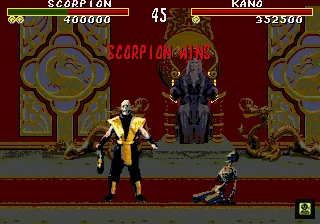
Open Options and choose the normal tournament settings
At the title screen, press . Use or to highlight Options, then press an action button to enter. The documented Options entries are Credits, Difficulty, Music, Sound FX and Samples.
Credits determines how many times you may continue before you must begin the tournament again. Difficulty offers Very Easy, Easy, Medium, Hard and Very Hard. For a first completion attempt, choose Easy or Medium so you can learn the Genesis version’s spacing, Test Your Might timing and finishing inputs before raising the difficulty.
Music lets you listen to the game music, Sound FX demonstrates sound effects, and Samples plays digitized speech. These entries do not change combat rules. Do not search this menu for a standard Blood setting or round-count setting: neither is listed as a normal option in this release.
- Credits selected before Game Start.
- Difficulty chosen deliberately.
- Music, Sound FX and Samples set to preference.
- No normal Blood or round-count option expected.
Enter the Genesis blood code at the opening Code of Honor screen
Reset or power on the target Sega Genesis cartridge and wait for the opening screen whose text begins with the explanation of the word code. Do not press to skip past it. Enter the code with Player 1 before continuing.
For the standard three-button controller, enter the physical sequence , , , , , , . This is the commonly documented Genesis ABACABB sequence. On a six-button controller, references also describe the functional equivalent as , , , , , , . Use the mapping recognized by the exact controller, adapter or emulator configuration; do not assume that the visible labels , and correspond to the same combat functions on every six-button setup.
When accepted, the screen changes slightly and the game plays Scorpion’s “Get over here!” confirmation cry. A second check is available after reaching the Start/Options screen: the Mortal Kombat lettering changes from green to red. The code restores the Genesis port’s blood and uncensored finishing presentation. It does not add selectable characters, change the tournament ladder, or make Goro and Shang Tsung playable.
- Code entered during the opening Code of Honor screen.
- Three-button setup used , , , , , , , or the verified six-button functional equivalent.
- Confirmation sound or screen change received.
- Start/Options lettering changes from green to red.
Test the blood setting before committing to a full run
Start a short match after entering the code and confirm that blood effects are visible. This check is especially useful on emulators, adapters and six-button controllers, where an input can be sent to the wrong screen or mapped differently from a standard three-button pad.
The blood code does not add Credits or change Difficulty. If the title remains green and the match remains censored, reset the cartridge or image and enter the code again at the Code of Honor screen. Pressing before entering the sequence moves past the relevant input window.
- A test match displays blood.
- The code was entered on the active Player 1 setup.
- Credits and Difficulty were not assumed to change.
- The ladder is not started until the code is confirmed.
Use DULLARD only for optional testing
Reach the Start/Options screen, where the scrolling mugshots are displayed, and enter , , [Left], [Left], , [Right], . This is separate from the blood code. If accepted, a Cheat Enabled entry appears in the menu.
Select Cheat Enabled and press to inspect the additional testing controls. The menu can alter elements such as player or opponent selections, battle-plan demonstrations, Test Your Might behavior, continues, computer finishing moves, stage behavior and Reptile-related displays. These are development-oriented experiments rather than requirements for the ordinary tournament route.
For a normal completion attempt, leave Cheat Enabled unused. If it was activated accidentally, turn off its flags and return to the ordinary Start/Options menu before selecting Game Start. In particular, avoid infinite continues, one-hit settings, altered battle plans or CPU changes if you want the standard Genesis route and ending.
- DULLARD entered only for optional testing.
- Cheat Enabled left unused for the normal clear.
- All testing flags disabled before Game Start.
- Blood remains controlled by the separate blood-code procedure.
Do not import later six-icon code systems
The six selectable icon slots used for code entry in later Mortal Kombat releases are not part of the documented original Genesis Mortal Kombat menu flow. This cartridge has a VS mode, but that does not establish that the later icon-code procedure exists here.
For this edition, use the Code of Honor blood sequence for blood and uncensored finishing presentation. Use DULLARD only as a deliberate testing experiment. Do not import code timing, icon positions or button procedures from Mortal Kombat II, Mortal Kombat 3, Sega CD releases, compilations or ROM hacks.
- No six-icon code-entry screen expected.
- Blood code entered at the Code of Honor screen.
- DULLARD used only for optional testing.
- No later Mortal Kombat code system substituted.
Before you move on
- Credits and Difficulty are set in the normal Options screen.
- The blood sequence was entered during the opening Code of Honor screen using the controller mapping appropriate to the target build.
- The game provided a confirmation cue and the Start/Options lettering changed from green to red.
- A test match displays blood and the restored finishing presentation is available.
- Cheat Enabled is absent or all optional testing flags are off.
- The ladder begins with the intended Credits and Difficulty settings.
Arcade Ladder & Boss Progression — who you face and how to plan a run
The Genesis one-player tournament begins with six one-on-one matches against the other selectable fighters, followed by a mirror match against the character you chose. Three Endurance matches come next; each contains two opponents who enter consecutively. Test Your Might challenges appear between tournament sections according to the current Battle Plan and schedule settings. Reaching a challenge and successfully breaking its material are separate records, but every required challenge must be completed successfully before the route permits the fight against Goro. Goro is followed by Shang Tsung, the final boss. Read the displayed Battle Plan rather than importing an arcade or later-port ladder order, conserve health with anti-airs, sweeps, blocks, and whiff punishes, and allow the victory sequence to appear after Shang Tsung is defeated.
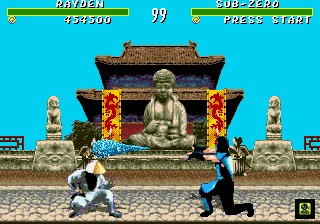
1. Confirm the tournament route
Select Game Start, choose one of the seven ordinary fighters, and begin the one-player tournament. The standard Genesis route contains six one-on-one matches against the other selectable characters. After those victories, the game schedules a mirror match against a duplicate of your chosen fighter.
Three Endurance matches follow. Each Endurance match contains two opponents who enter one after the other. You must defeat both opponents before your fighter is defeated, so health management during the first fight directly affects the second. After the Endurance section and the required Test Your Might progression, the route leads to Goro and then Shang Tsung.
Test Your Might is inserted between portions of the one-player tournament. The Genesis version allows the starting material and the number of rounds before the challenge to be configured through its plan and schedule screens. Record when each challenge appears, but do not treat reaching the bonus stage as completion. The material must be broken successfully for the tournament route to advance to Goro.
- Six one-on-one matches against the other selectable fighters
- One mirror match
- Three two-opponent Endurance matches
- Every scheduled Test Your Might challenge successfully completed
- Goro
- Shang Tsung
2. Read the Genesis Battle Plan
The Genesis version provides four possible Battle Plan sequences for the one-player route. The selected Player One character determines the plan information shown on the relevant screen, and the game can also use a random plan. Because the ordinary opponents can appear in different orders, read the portraits displayed before each match instead of following an arcade ladder list.
Before a serious one-credit attempt, use the plan screen or a preliminary run to note the six ordinary opponents in order. This lets you choose an appropriate spacing approach for the next fight and prevents you from preparing for the wrong matchup. The Battle Plan changes the order of the ordinary fighters; it does not remove the mirror match, Endurance matches, Goro, or Shang Tsung.
The plan-related screens also identify the material from which Test Your Might begins and the number of rounds before the challenge. If those settings differ from their default values, follow the schedule shown by the cartridge. Regardless of the starting material, all required challenges must be broken successfully before Goro is unlocked on the route.
- Record the displayed opponent portraits
- Expect one of four Genesis Battle Plan orders
- Do not import an arcade or later-port sequence
- Keep the mirror, Endurance, Goro, and Shang Tsung objectives separate
- Note the starting material and Test Your Might schedule
3. Complete every Test Your Might challenge
When Test Your Might appears, rapidly alternate and to raise the power meter. Continue until the meter rises above the required line, then press to strike before the timer reaches zero. The Genesis manual assigns and to charging the blow and to releasing it.
The listed materials are Wood, Stone, Steel, Ruby, and Diamond, with the required power increasing as the materials become harder. A successful break counts as completion of that challenge. Reaching the stage, raising the meter, or striking without breaking the material does not satisfy the Goro-route requirement.
If you fail a required challenge, treat the tournament attempt as incomplete until that challenge is successfully cleared. Retry the challenge when the cartridge permits another attempt, restart the run, or use the exact continuation behavior of your cartridge build; do not assume that a failed challenge still leads normally to Goro. The manual specifically states that the warrior must succeed in each challenge before being allowed to meet Goro.
For practice, use short alternating taps rather than holding either button. Keep your thumb positioned over as the meter approaches the requirement line and press it once. Avoid repeated presses, which can make the release timing inconsistent.
- Alternate and rapidly
- Raise the meter above the required line
- Press once to strike
- Release before the timer expires
- Break every required material successfully
- Retry or restart after a failed required challenge
4. Conserve health in the six ordinary matches
Use the first six fights to establish a repeatable rhythm rather than chasing maximum damage. Work mainly around sweep distance, where you can threaten a sweep while retaining room to react to a jump. Use standing kicks or punches to interrupt forward movement, then use your most reliable uppercut or close anti-air when the opponent jumps toward you.
Once you gain a life lead, stop taking unnecessary trades. Walk backward, block, and let the CPU approach. Punish a whiffed normal with a sweep or dependable long-range attack, then return to spacing. Avoid repeatedly jumping forward; a blocked jump-in can leave you close enough for the opponent to counterattack.
Do not spend health on an unpracticed Fatality during an ordinary match. Finish the fight safely first, then attempt the Fatality only when the Finish Him prompt appears and you know the required distance. If one opponent repeatedly defeats you, practice that matchup separately before spending additional continues.
- Use sweep-distance pokes
- Anti-air predictable jumps
- Stop trading after gaining a life lead
- Punish whiffs instead of forcing pressure
- Avoid risky Fatality attempts before the finishing prompt
5. Win the mirror match without bleeding resources
The mirror opponent has the same move set as your fighter, so do not rely on a single special attack. Hold a comfortable mid-range position and wait for the duplicate to commit. Punish a jump with your practiced anti-air, and punish a missed normal with a sweep or standing attack. If the opponent walks forward repeatedly, interrupt the advance rather than automatically retreating to the corner.
If you lose a round, do not rush forward merely because your life total is lower. Block the clone’s approach and look for a clear opening. The purpose of this fight is resource preservation: the next three Endurance matches require two victories per match, and damage taken against the first Endurance opponent leaves less room for error when the second enters.
- Bait predictable jumps
- Punish whiffed normals
- Avoid repeating one special move
- Maintain mid-range spacing
- Prioritize health over flashy damage
6. Clear all three Endurance matches
Each Endurance match starts with one opponent and brings in a second after the first is defeated. Use reliable attacks against the first fighter rather than risky experiments. A sweep, projectile, anti-air, or knockdown that you can repeat safely is more valuable than a difficult high-damage sequence that may be blocked.
When the second opponent enters, reset your spacing instead of attacking automatically. If your health is low, make the opponent approach and punish a clear commitment. Use the screen edge only when it helps reduce approach angles; do not back yourself into a corner where a jump-in becomes difficult to stop.
The third Endurance match is the final regular combat section before the Goro route, but Test Your Might requirements still take priority. If the current schedule inserts a challenge before or around this portion, complete it successfully rather than assuming that defeating the Endurance opponents alone is enough to unlock Goro.
- Defeat both opponents in all three Endurance matches
- Avoid unsafe attacks against the first fighter
- Reset spacing when the second fighter enters
- Use time and distance when low on health
- Complete any scheduled Test Your Might challenge before continuing
7. Fight Goro from outside grab range
Goro becomes available only after the required Test Your Might challenges have been successfully completed. Do not begin by jumping directly at him or standing close enough for an easy grab. Keep a reaction-sized gap, block when he advances, and attack during the recovery of a missed or completed move. Your safest long-range normal or projectile is preferable to a close exchange that lets Goro seize momentum.
When Goro jumps, use the anti-air that worked during the ordinary ladder instead of repeatedly jumping toward him. After landing a punish, retreat immediately and rebuild the gap. If an attempt fails, keep the same general plan but change the timing of the punish; rushing forward after losing an exchange usually gives Goro another close-range opportunity.
- Reach Goro only after completing every required Test Your Might challenge
- Stay outside grab range
- Block his approach when necessary
- Punish recovery instead of forcing close pressure
- Use a practiced anti-air against jumps
- Retreat after scoring damage
8. Adapt to Shang Tsung and confirm the clear
Shang Tsung follows Goro and is the final boss. He can transform into the seven selectable fighters and Goro, so identify the current form before attacking. Against a projectile-oriented form, advance behind a block or use a carefully timed jump. Against a rushdown form, retreat to sweep distance and punish the approach with your safest poke, sweep, or anti-air.
If Shang Tsung changes forms while you are close, block first and observe the attack. Do not chase a retreating transformation across the screen; make him approach again and preserve your health. Once Shang Tsung is defeated, allow the post-boss victory sequence to play. That sequence, rather than merely reaching the final arena, confirms the completed Genesis tournament route.
- Identify Shang Tsung’s current form
- Block unfamiliar attacks before committing
- Use different spacing against projectile and rushdown forms
- Do not chase retreating transformations
- Defeat Shang Tsung and allow the victory sequence
Before you move on
- The selected fighter defeats the six opposing playable characters.
- The mirror match is defeated.
- All three Endurance matches are cleared, with both opponents defeated in each pair.
- Every scheduled Test Your Might stage is reached.
- Every required Test Your Might material is broken successfully.
- Goro becomes available and is defeated.
- Shang Tsung is defeated.
- The post-boss victory or ending sequence appears, confirming the tournament clear.
References for this chapter
Match Fundamentals — movement, normals, anti-air and spacing
The original Sega Genesis Mortal Kombat is won mainly from the ground: control range with punches and kicks, block with the dedicated Genesis input, punish visible whiffs and use the uppercut against descending jump-ins. On the standard three-button controller, [A] is [LP], while universal [HP] is [Back]+[A]. Some character-specific Genesis commands explicitly call for [LP], so those use physical [A] rather than the universal [HP] translation. [B] is [LK], [C] is [HK] and [Start] is [Block]. On the common six-button layout, [A] is [LP], [X] is [HP], [C] is [LK], [Z] is [HK] and [B], [Y] or [Start] may be [Block]. Close means throw and close-attack range, Sweep means the distance for a foot sweep or roundhouse, and Full-screen means the far end of the arena. The practical three-button uppercut is [Down]+[A], because it uses [LP]. Direction terms are relative to your fighter and reverse after a crossover.
Confirm the active controller layout
Test the controller in a match before beginning a serious ladder attempt. On the standard three-button Genesis layout, is . The universal translation is +, so retain that input when a move reference specifically calls for . Do not assume that every character command marked uses the same physical input, however: the Genesis move list explicitly marks some character commands as for three-button play. Those commands use physical .
On the three-button controller, is , is and is . On the common six-button layout, is , is , is , is and , or can serve as , depending on the active setup. Adapter and emulator profiles can change the physical assignment, so confirm the guard animation before relying on Block during a match.
For universal attacks, + or + produces the uppercut. Therefore, the practical three-button version is +, while the universal version is represented by ++ when the game accepts the high-punch translation. Use the command required by the move or situation rather than treating one form as the only possible uppercut input.
All direction terms are relative to your fighter. points toward the opponent and points away. After a crossover, reverse those meanings immediately. This applies to movement, sweeps, roundhouses, throws, anti-airs and character-specific specials.
- Test as on the three-button layout.
- Use + when a universal command is required.
- Use physical for character-specific commands explicitly marked .
- Test as and as .
- Test as on the three-button setup.
- On six buttons, identify , , , and the active button.
- Reverse and after a crossover.
Recognize Close, Sweep and Full-screen distance
Close means the fighters are directly beside one another or close enough for a knee, close punch or throw. The Genesis move reference lists the universal throw as + or when close. On three buttons, is and is ; on six buttons, is and is . Move fully beside the opponent before judging whether the throw input worked.
Sweep distance is farther away than Close range but near enough for + or + to connect. It is the useful range for a foot sweep or roundhouse after a missed normal, a reckless advance or a poorly spaced landing. Full-screen means the far end of the arena, beyond ordinary punch, kick and throw range. From Full-screen, walk forward while ready to Block, wait for a projectile or let the opponent approach rather than jumping automatically.
A move's notation does not override its distance requirement. If an attack is listed as Close, stand beside the opponent; if it is listed as Sweep, take only a couple of steps back; if it is listed as Anywhere, distance is flexible but the attack still has to connect when required.
- Move beside the opponent before attempting a throw.
- Use + or at Close range.
- Use + and + from Sweep distance.
- Treat Full-screen as an approach and reaction range.
- Recheck distance after every knockdown or crossover.
Interrupt approaches with grounded attacks
Stand just outside the opponent's ordinary striking range and watch for forward movement. On three buttons, use for when the opponent enters punch range. If the move or situation requires , use the universal three-button translation +, unless the character-specific Genesis reference explicitly identifies the command as . On six buttons, use for and for .
Standing kicks are useful when the opponent enters Sweep distance or finishes a missed normal. On three buttons, use for and for . On six buttons, use for and for . A kick that visibly falls short is a signal to stop pressing and prepare to Block.
When a grounded attack connects, continue only with a documented character-specific special that works from that range. If the attack is blocked or misses, return to neutral, walk away or hold . The dedicated Block button allows you to defend without automatically retreating, which is important when the opponent is trying to bait a premature counterattack.
- Stand just outside the opponent's striking range.
- Use for three-button .
- Use + for universal three-button when required.
- Use or for six-button punches.
- Use kicks only when their range visibly reaches.
- Return to Block or neutral after a whiff or defended attack.
Use the sweep, roundhouse and uppercut
The universal foot sweep is +. On three buttons, press +; on six buttons, press +. Use it from Sweep distance when the opponent walks forward, finishes a missed normal or lands from a poorly spaced jump. If it falls short, do not repeat it automatically. Block, step away or reset the range.
The universal roundhouse is +. On three buttons, press +; on six buttons, press +. It is useful for checking mid-range movement and punishing a visible whiff. Do not use it at Full-screen distance or immediately after every blocked attack.
The universal uppercut can be entered with + or +. On three buttons, + is the practical low-punch uppercut because is . If you are deliberately using the high-punch version, the universal three-button translation is ++. On six buttons, use + for the low-punch version or + for the high-punch version.
- Use + for the three-button foot sweep.
- Use + for the three-button roundhouse.
- Use + for the practical three-button low-punch Uppercut.
- Use ++ only when deliberately using universal .
- Use + or + on six buttons.
- Block or reset after a missed universal attack.
Anti-air jump-ins on reaction
When the opponent jumps toward you, remain grounded and watch the descent. The primary three-button anti-air is +, the low-punch uppercut. Wait until the descending body enters Close range, then perform it. If you are using the high-punch version instead, use the universal three-button translation ++, but do not add automatically when practicing the practical low-punch response.
Pressing during the initial rise is usually too early, while pressing after the opponent lands is too late. Use the visual cue of the opponent's body descending into your space rather than a fixed timing count. Screen display, controller feel and opponent jump distance can change the apparent timing, so practice the reaction visually.
If the opponent jumps from too far away to enter Close range, do not walk underneath and attack late. Block, step away or reposition. A standing punch or kick can sometimes check a distant jump, but use it only when the attack visibly reaches.
- Stay grounded when the opponent begins a jump.
- Wait for the descent to enter Close range.
- Use + as the standard practical three-button anti-air.
- Use ++ only for the universal high-punch variant.
- Block or reposition when the jump will land too far away.
Avoid common spacing traps
Do not over-jump. Jump only to close a deliberate gap, punish a predictable recovery or begin a planned jump-in. Repeated jumps allow the opponent to stand underneath and uppercut on reaction. After a jump-in connects, use a grounded follow-up, a verified close attack or a retreat instead of jumping again automatically.
Do not sweep repeatedly from outside range. A sweep that falls short leaves you exposed, while a defended sweep gives the opponent time to respond. A blocked special is not proof that pressure should continue. Hold , walk away or wait for the opponent's next action unless you have confirmed a safe character-specific follow-up.
Do not confuse a blocked hit with a successful opening. If the opponent remains standing and ready, reset the exchange. If an attack misses, determine whether you were too close, too far away or facing the wrong direction after a crossover. When a universal punch command is involved, also check whether the move required or before changing your physical input.
- Jump only for a defined tactical reason.
- Never sweep from outside visible range.
- Hold after an uncertain special is defended.
- Stop mashing after a blocked normal.
- Check whether a punch command requires or .
- Check facing direction after every crossover.
Practice spacing, anti-air, whiff punishment and throws
For the spacing drill, walk forward until a standing kick barely connects, then walk backward until it barely misses. Repeat on both sides of the screen. After changing sides, consciously redefine and . This teaches the boundary between useful striking range and unsafe whiff range.
For the anti-air drill, have the opponent jump from approximately Sweep distance. Do not attack during the initial rise. Wait for the descent and answer with +, the practical low-punch uppercut. Repeat from both sides until you recognize the Close-range descent visually. Then test ++ separately as the universal high-punch version. Do not replace the low-punch drill with the high-punch input unless your chosen tactic specifically calls for it.
For the whiff-punish drill, make the opponent miss a normal or finish a visibly recoverable special in front of you. From Sweep distance, answer with + or +. If the opponent finishes close enough for an Uppercut, use + on three buttons, or + or + on six buttons.
For the throw drill, walk directly beside the opponent and press + or . Use or on three buttons, or or on six buttons. Repeat from both sides. If your exact build also responds to alone, treat that as a separately confirmed alternate rather than replacing the standard directional throw input.
- Complete walk-in and walk-out spacing repetitions on both sides.
- Anti-air descending jump-ins from both sides with +.
- Test the separate universal high-punch anti-air ++.
- Punish three visible whiffs without jumping forward.
- Perform a throw with + or at Close.
- Record any -alone throw behavior only as a tested alternate.
- State your distance and required punch type before choosing an attack.
Before you move on
- You can perform the low-punch Uppercut with [Down]+[A] on both sides of the screen.
- You can perform the universal three-button high-punch form [Down]+[Back]+[A] when required.
- You can distinguish a universal [HP] command from a character-specific command explicitly marked [LP].
- You can interrupt a grounded approach with a standing punch or kick.
- You can anti-air a descending opponent with the appropriate uppercut version.
- You can distinguish Close, Sweep and Full-screen distance before attacking.
- You can perform a throw with [Forward]+[LK] or [HK] at Close range.
- You can punish a visible whiff with a roundhouse or sweep.
- You can recover from a blocked or missed attack by Blocking or resetting distance.
- You understand that the active controller profile determines the physical Block button.
Defense, Throws & Punish Windows
Mortal Kombat on the original Genesis uses a dedicated [Block] command instead of holding [Back] to guard. On the three-button pad, [Start] is [Block], [A] is [LP], [B] is [LK], and [C] is [HK]. Universal [HP] is represented by [Back]+[A], but [Down]+[A] remains the practical shared Uppercut because the move accepts a punch input; do not assume every character-specific [HP] command has the same physical translation. On the common six-button layout, [A] is [LP], [X] is [HP], [C] is [LK], [Z] is [HK], and [B], [Y] or sometimes [Start] may serve as [Block]. Throws require Close range. Sweep and roundhouse attacks are used farther away, while crouching block protects against low attacks. Punish only after confirming the opponent is still recovering and that your chosen attack reaches the actual distance.
Confirm the active block and punch inputs
On the standard three-button Genesis controller, use for , for , for , and for . The universal entry is not simply another physical command: the Genesis move reference represents as +. This matters whenever a move list specifically calls for High Punch. For the shared Uppercut, however, use + as the reliable low-punch version on the three-button pad; the universal move accepts + or +.
On a six-button controller, the common layout is for , for , for , for , and or for . Some configurations also accept for blocking. Test the active block button against a harmless attack before starting a serious ladder attempt, then test + for crouching guard.
and are relative to the direction your fighter faces. After a crossover, reverse those directions. Holding alone retreats; it does not replace the dedicated command.
- Three-button — .
- Three-button — .
- Three-button universal — +.
- Three-button — .
- Three-button — .
- Three-button practical Uppercut — +.
- Six-button — .
- Six-button — .
- Six-button — .
- Six-button — .
- Six-button — or ; verify the setup.
- Crouching block — +.
- Reverse and after a crossover.
Stop jump-ins and survive close pressure
Against a descending jump-in, wait until the opponent enters Uppercut range, then press + on the three-button controller. On six buttons, + uses High Punch, while + uses Low Punch. Either can perform the shared Uppercut, but the attack must connect while the opponent is descending into range. Pressing too early or from too far away will miss.
If the jump-in is outside Uppercut range, use a reaching or an appropriate character-specific anti-air special. Do not force + from a distance where the crouching attack cannot reach.
When the opponent is already close, hold rather than attempting a late retreat. Use + against low attacks and sweeps. A backward jump can create space if started before contact, but jumping after close pressure begins often gives the attacker an easy anti-air.
- Three-button Uppercut — +.
- Six-button Uppercut with Low Punch — +.
- Six-button Uppercut with High Punch — +.
- Grounded defense — .
- Low defense — +.
- Use or a character-specific anti-air when outside Uppercut range.
- Reverse directional inputs after a crossover.
Handle throws at Close range
Throws are point-blank attacks. Close means the fighters are directly adjacent or nearly touching; Sweep distance is outside normal throw range. Walk forward until the characters are almost in contact before testing a throw command.
Genesis references report + or + as throw commands. Another Genesis chart lists alone at Close range. On three buttons, test +, then +, followed by alone if necessary. On six buttons, test +, then +, followed by alone. Treat these as target-setup checks rather than claiming one command is universal across every Genesis configuration.
The dependable defense is prevention. Interrupt the approach with a quick attack, retreat before contact, jump back early, or crouch when appropriate. The exact Genesis references do not establish a universal post-grab throw-break sequence, so do not rely on one.
- Throw range — Close only.
- Documented reports — + or +.
- Qualified alternate — alone at Close.
- Three-button tests — +, +, then .
- Six-button tests — +, +, then .
- Sweep distance — outside direct throw range.
- Prevent throws before contact.
- Do not rely on an unverified throw-break input.
Punish blocked specials and whiffed attacks
Hold through the opponent’s attack, then watch for the end of recovery. At close range, punish with + on the three-button controller or + or + on six buttons. These are Uppercut inputs using different punch buttons; + is the practical three-button choice. Do not confuse this with a universal High Punch command: a standalone requirement on the three-button pad is represented by +.
At standing-kick distance, press . At roundhouse range, use +, which is + on three buttons or + on six buttons. At sweep distance, use +, which is + on three buttons or + on six buttons. These are range-based punish choices, not guaranteed responses to every blocked special. Confirm that the opponent remains in recovery and that your attack reaches.
After a teleport, charge or flying attack, confirm which side of the opponent you occupy before attacking. If the opponent has already recovered, return to instead of turning a late punish attempt into a counter-hit.
- Close Uppercut punish — + on three buttons.
- Six-button Uppercut punish — + or +.
- Standalone three-button when specifically required — +.
- Standing-kick punish — .
- Roundhouse — +.
- Three-button roundhouse — +.
- Sweep-range punish — +.
- Three-button sweep — +.
- Confirm recovery, range and facing before pressing.
Recover from mistakes and manage health
After a missed Uppercut, sweep or special, stop pressing until the fighter returns to a usable stance. If the opponent is close, hold or +. If there is room, retreat before the next attack reaches you. Repeated panic attacks turn one whiff into additional damage.
When low on health, avoid speculative throws and unsafe specials. Block the approach, take one confirmed punish and reset to a range where your character’s dependable normal or projectile works. This is especially important before Goro and Shang Tsung, where trading health for uncertain damage can end the run.
Practice one response at each distance on both sides of the screen: + for a close descending jump-in, for a farther approach, + at roundhouse range and + at sweep range. Reverse and whenever a crossover changes your facing.
Before a ladder attempt, verify the active button, confirm as the three-button input, and test any move that specifically requires with +. Character-specific commands that explicitly call for should use physical instead; do not apply one translation to every punch entry.
- Missed move — return to or +.
- Low health — defend first and punish only clear recovery.
- Three-button — .
- Three-button universal — +.
- Three-button practical Uppercut — +.
- Roundhouse — +.
- Sweep — +.
- Practice from both sides and reverse directions after crossovers.
- Test qualified throw reports before serious play.
Before you move on
- You can identify the active Genesis [Block] input.
- You can identify three-button [LP] as [A].
- You can identify universal three-button [HP] as [Back]+[A].
- You can perform the practical three-button Uppercut as [Down]+[A].
- You can identify [A], [X], [C], [Z] and [B] or [Y] on a six-button setup.
- You can use [Down]+[Block] against low attacks and sweeps.
- You can stop close jump-ins with [Down]+[A], [Down]+[X] or a correctly timed anti-air kick.
- You can test [Forward]+[LK], [Forward]+[HK] and the alternate [HK]-alone throw report at Close range.
- You can prevent a throw before contact with interruption, retreat or an early jump-back.
- You can punish visible recovery with an attack that reaches the actual finishing distance.
- You can recover from a missed move by blocking, retreating or resetting space instead of mashing.
Stage Hazards & the Pit Fatality — environmental tactics and finishing The Pit
The Pit is the bridge arena with the moon and spikes beneath it. On the original Genesis release, win the deciding round there with the opponent near either bridge edge, wait for Finish Him or Finish Her, move to uppercut range, and perform the stage finish. On a three-button controller, the low-punch uppercut is [Down] + [A]. The universal high-punch input is [Back] + [A], so [A] is not automatically both punch attacks in every situation. On a six-button controller, use [Down] + [A] for the low-punch uppercut or [Down] + [X] for the high-punch version. ABACABB is a separate Code of Honor entry that changes the blood and finishing presentation; it is not part of the Pit command. The generic Pit finish is separate from every character Fatality and from optional Reptile testing.
Recognize The Pit and verify the controller
The Pit is the bridge stage with the moon in the background and spikes below. During ordinary combat, the bridge edge is a positional boundary, not an automatic hazard. The opponent must be defeated on this arena before the stage finish can be attempted.
On the standard three-button Genesis controller, performs , + performs , performs , performs , and performs . The high-punch input requires holding while pressing ; do not describe the three-button layout as though universally represents both punch buttons without a directional condition.
The common six-button arrangement is = , = , = , = , and or = . If using an adapter or emulator, verify the Genesis button labels rather than relying on the modern controller’s physical position. Direction labels are relative to the fighter’s facing: points toward the opponent and points away.
- Confirm that the arena is The Pit
- Verify whether the setup is three-button or six-button
- Test , , and during ordinary combat
- Remember that three-button is +
- Use facing-relative direction terminology
Enter ABACABB only when the blood-enabled presentation is wanted
At the opening Code of Honor screen, enter the literal physical sequence , , , , , , on Controller One. This is a code-screen sequence, not a combat command.
On the three-button controller, do not translate the letters into move functions. is during combat, while is , but ABACABB must still be entered as the literal ------ sequence at the Code of Honor screen.
The code changes the blood and finishing presentation. It does not replace the Pit input, does not make Reptile selectable, and is not required as a substitute for the ordinary stage-finish command.
- Enter , , , , , , at the Code of Honor screen if desired
- Treat the sequence as literal physical buttons
- Do not reinterpret as for this code
- Keep ABACABB separate from the Pit finish
Win the deciding round with the opponent near a bridge edge
During the final round on The Pit, push the opponent toward either end of the bridge. Advance behind standing attacks, throws or sweeps when you are already close enough to use them, and avoid jumping over the opponent if that gives up your position. The goal is to finish the round while the defeated fighter is near an end of the bridge.
The edge does not defeat the opponent by itself. Do not attempt to knock the opponent into the spikes during ordinary combat or expect the stage to finish before the victory prompt. Preserve enough space to walk beside the stunned opponent after Finish Him or Finish Her appears.
- Reach the deciding round on The Pit
- Push the opponent near either bridge end
- Do not treat the edge as an active hazard before the prompt
- Keep room to approach the stunned opponent
Wait for Finish Him or Finish Her and move into uppercut range
After the deciding round, wait for Finish Him or Finish Her. Walk directly beside the stunned opponent until you are within normal uppercut range. Sweep distance is too far for the stage finish, and a full-screen attempt cannot connect.
Face the opponent before pressing the command. The command itself is downward plus a punch; the direction used to approach the opponent depends on which side of the screen you occupy. Do not add or to the Pit uppercut input.
- Wait for Finish Him or Finish Her
- Stand beside the stunned opponent
- Use close uppercut range
- Face the opponent before entering the input
Perform the Genesis Pit stage finish
On a three-button controller, perform the low-punch uppercut with + . This is the practical Pit input for the low-punch version on the standard Genesis pad. The three-button high-punch command is + , but that is a different universal move input and should not be substituted for the requested low-punch command.
On a six-button controller, the Pit uppercut may be performed with + for or + for . Use the button that matches the version you are practicing, and make sure the punch connects while the finishing prompt remains visible.
A successful stage finish sends the defeated opponent from the bridge into the spikes below. If the opponent only recoils from an ordinary uppercut, check the arena, the active finishing prompt, your distance and the punch button. ABACABB changes presentation; it does not replace the required uppercut.
- The active arena is The Pit
- Finish Him or Finish Her is visible
- The opponent is at bridge-edge position
- Three-button low-punch input: +
- Six-button low-punch input: +
- Six-button high-punch input: +
- Confirm that the opponent falls into the spikes
Recover from a miss and practice from both sides
If the uppercut misses or the finishing window expires, the game normally completes the victory without the Pit finish. Do not continue pressing the command after the prompt has disappeared. Attempt the objective again during another match on The Pit.
For practice, use Versus mode, choose The Pit, reduce Player 2’s health, and move that fighter near a bridge end. When Finish Him or Finish Her appears, approach from the left and right sides on separate attempts. On three buttons, repeat + . On six buttons, test both + and + after confirming the controller mapping.
- Treat a missed attempt as an ordinary victory
- Retry during another The Pit match
- Practice from both screen sides
- Test the correct punch button for the controller layout
Keep the Pit finish separate from Fatalities and Reptile testing
The generic Pit uppercut is a stage finish, not a character Fatality. It does not satisfy the requirement to perform a selected fighter’s own Fatality, including during a Reptile attempt. If testing Reptile, use the selected character’s documented Fatality rather than substituting the bridge uppercut.
The documented hidden-fight conditions involve one-player CPU mode on The Pit, the applicable moon-silhouette event, a double flawless victory, no during the qualifying combat, and the selected character’s own Fatality. Genesis references disagree about some Fatality-time details, so verify that behavior on the exact cartridge or emulated build instead of applying an unsupported universal exception.
ABACABB and DULLARD do not make Reptile selectable. Arcade revision labels such as 3.0 and 4.0 are not verified Genesis cartridge requirements. Treat Reptile as an optional separate objective and confirm success only when the game actually transitions to the hidden fight.
- Do not count the generic Pit uppercut as a character Fatality
- Use the selected character’s own Fatality for Reptile testing
- Avoid during the qualifying combat
- Verify disputed Fatality-time behavior on the target build
- Do not require an unverified Genesis internal version number
- Keep ABACABB and DULLARD separate from Reptile
Before you move on
- If desired, enter [A], [B], [A], [C], [A], [B], [B] at the Code of Honor screen.
- Confirm that the blood-enabled presentation changes without treating the code as a finisher command.
- Play and win the deciding round on The Pit with the opponent near a bridge edge.
- Wait for Finish Him or Finish Her.
- Move to close uppercut range.
- On three buttons, press [Down] + [A] for the low-punch uppercut.
- On six buttons, use [Down] + [A] for the low-punch version or [Down] + [X] for the high-punch version.
- Confirm that the opponent is launched from the bridge into the spikes.
- Repeat the setup while approaching from the opposite side.
- For Reptile, separately test the exact build using the documented hidden-fight conditions.
- Use the selected character’s own Fatality for Reptile testing; never substitute the generic Pit uppercut.
Liu Kang — mobility, fireballs and the Flying Kick
Liu Kang is a balanced Genesis fighter whose reliable plan is to control mid-screen space with Fireballs, punish jumps with Uppercuts, and use Flying Kick to intercept committed movement. His original Mortal Kombat moveset contains Fireball and Flying Kick only; Bicycle Kick and separate high and low Fireballs belong to later games. On the three-button Genesis controller, the Fireball ends with physical [A], following the Genesis reference’s instruction to use [LP] for this command. Do not automatically convert every [HP]-listed move into [Back]+[A]. Liu Kang’s primary Fatality is performed by holding [Block] and entering [Forward], [Down], [Back], [Up], [Forward], then releasing [Block] so the final attack connects. A conflicting Genesis report lists only [Forward], [Down], [Back], [Up]; test that shorter form only if the primary sequence fails on the exact build. Use grounded normals to control Sweep distance, Uppercut close jump-ins, and Foot Sweep after a defensive read. His ordinary Fatality, the Pit Fatality and the optional Reptile encounter are separate objectives.
Confirm the Genesis controller functions
On the standard three-button Genesis controller, is , is , is , and is . For this chapter, the important correction is that Liu Kang’s Genesis Fireball uses physical at the end of its directional sequence because the move reference specifies . Do not replace that final with +. Test the mapping during an ordinary round before attempting a Fatality: press by itself for , for , for , and hold to confirm .
The common six-button arrangement uses for , for , for , for , with , or assigned to depending on the active Genesis configuration. Direction terms are relative to Liu Kang’s facing. If he crosses the opponent, exchange and . Verify the active profile rather than assuming that an emulator or adapter uses the same block button as an original controller.
- — — short punch on the three-button pad.
- — — low kick on the three-button pad.
- — — high kick on the three-button pad.
- — — standard three-button Genesis function.
- Six-button reference — = , = , = , = , with , or commonly used for .
- Liu Kang Fireball button — physical on the three-button pad.
Use Liu Kang’s normal attacks
Liu Kang has the universal attacks available to the ordinary fighters. Use Close attacks directly beside the opponent, Sweep attacks from a few steps away, and aerial attacks during a jump toward, away from or vertically over the opponent. His best basic defensive answer is the Uppercut when a jump descends close enough for the attack to connect.
The Genesis move chart lists as the ordinary throw command. Use it directly beside the opponent, but confirm the physical button assignment if a controller profile fails to register it consistently. Do not substitute a throw rule from a later Mortal Kombat game.
- Throw — at Close — use when directly beside the opponent.
- Close Head Blow — or at Close — quick close-range strike.
- Close Knee — at Close — short close attack.
- Crouched Block — + — low defensive posture.
- Uppercut — + or at Close — primary anti-air and close punish.
- Crouched Low Kick — + — low check at short range.
- Crouched High Kick — + — interrupt an approach from crouching position.
- Foot Sweep — + at Sweep distance — knockdown and spacing reset.
- Roundhouse Kick — + — long grounded interception attack.
- Flying Punch — , or + or — aerial attack.
- Flying Kick — , or + or — aerial attack.
Control the center with Fireball
Fireball — , , in the move-list notation, but use physical for the final attack on the three-button Genesis controller because the Genesis reference identifies this command with . This is not a universal rule that every -listed move becomes +. Use Fireball from Mid-screen or Full-screen distance, where the opponent cannot immediately reach Liu Kang with a jump-in.
Throw one Fireball and watch the response instead of repeating it automatically. If the opponent jumps over it, stop throwing and prepare the landing response. Use + when the opponent lands directly beside Liu Kang, or when the jump descends in front of him. If the opponent is already within immediate jumping range, block and reposition rather than starting another projectile.
At Sweep distance, alternate Foot Sweep, Roundhouse and grounded punches. Fireball is strongest when it forces movement from a distance; it is a poor emergency option at point-blank range.
- Fireball — , , notation — finish with physical on the three-button Genesis pad.
- Use Fireball to make grounded opponents advance.
- Stop throwing when the opponent reaches immediate jumping range.
- Use + against a close landing.
- Use against a jump descending in front of Liu Kang.
- Walk forward behind when reclaiming center position.
Punish with Flying Kick and grounded attacks
Flying Kick — , , . Use it from Mid-screen when the opponent whiffs a long normal, commits to a slow approach or recovers from a projectile. It travels forward and knocks the opponent back, but a blocked Flying Kick should end Liu Kang’s pressure. Return to , retreat or reset to Sweep distance instead of repeating the attack into guard.
Use Roundhouse to intercept a grounded advance at the edge of its range. Use Uppercut when the opponent’s jump descends close enough for + to connect. Use Foot Sweep after a successful block or whiff punish when a knockdown and spacing reset are safer than a special move. Identify the opponent’s recovery first, then choose the attack that reaches without requiring a risky point-blank exchange.
Liu Kang’s original Genesis character-specific specials are Fireball and Flying Kick. Do not add Bicycle Kick, separate high and low Fireballs, or later combo mechanics.
- Flying Kick — , , — Mid-screen — punish a committed approach or recovery.
- Do not use Flying Kick repeatedly against a stationary blocker.
- Use Roundhouse against a suitable grounded whiff.
- Use Uppercut against a close jump-in or exposed landing.
- Use Foot Sweep to secure a knockdown and reset spacing.
- Keep later Liu Kang specials out of this Genesis move reference.
Perform the primary Liu Kang Fatality
At the Finish Him prompt, move to practical attack range. The primary Genesis procedure is to hold , enter , , , , , then release so Liu Kang’s finishing attack connects. Although one Genesis reference describes the command as Anywhere, standing close enough for the final attack to reach is the dependable setup.
Holding prevents Liu Kang from jumping while the directional sequence is entered. Do not append , , or after the completed rotation. If Liu Kang has crossed to the opposite side, mirror and before entering the sequence.
A conflicting Genesis report gives only , , , . Treat that shorter command as an alternate report, not the universal procedure. Test it only if the held- full rotation fails on the exact cartridge or emulator build. The ordinary Fatality is separate from the Pit Fatality and from Reptile’s optional qualification conditions.
- Reach practical finishing range during Finish Him.
- Hold .
- Enter , , , , .
- Release so the final attack connects.
- Do not append a punch or kick.
- Mirror and after a side switch.
- Use , , , only as the qualified alternate if the primary command fails.
- Keep Liu Kang’s Fatality separate from the Pit and Reptile objectives.
Apply the plan through Goro and Shang Tsung
The Genesis single-player route includes the mirror match, three Endurance matches, Goro and Shang Tsung. Conserve health in the early matches by avoiding unnecessary Fatality attempts. Fireball from controlled Mid-screen range, anti-air with Uppercut, and use Foot Sweep to end exchanges and reset distance.
Against Goro, avoid standing directly beside him waiting to trade. Maintain enough space to see his approach, use Fireball while he is grounded, and switch to or + when he commits to a jump. If he reaches close range, block the first exchange and retreat when an opening appears. Flying Kick is useful against a clear approach or recovery, but repeated point-blank attempts are unsafe.
Shang Tsung can morph into tournament fighters and Goro. Identify the current form before choosing a response. Use Uppercut against a close jump-in, Roundhouse or Flying Kick against a committed whiff, and Fireball only when the current form is too far away to punish immediately. Hold the center and let Shang Tsung approach instead of chasing every transformation.
Defeat Shang Tsung and allow the victory ending to appear. Perform Liu Kang’s Fatality in a separate match, and track the Pit Fatality and Reptile encounter as separate objectives.
- Clear the mirror match, all three Endurance matches, Goro and Shang Tsung.
- Use Fireball from controlled Mid-screen range with physical on the three-button pad.
- Stop throwing when the opponent reaches immediate jumping range.
- Use Foot Sweep to reset ordinary matches.
- Avoid repeated close trades with Goro.
- React to Shang Tsung’s current morph.
- Allow the ending to appear after Shang Tsung’s defeat.
- Perform Liu Kang’s Fatality separately from the ladder clear.
Before you move on
- Verify [A] produces [LP] and [Start] produces [Block] on the active three-button Genesis profile.
- Perform Fireball with [Forward], [Forward], then physical [A].
- Perform Flying Kick with [Forward], [Forward], [HK] from both sides of the screen.
- Demonstrate Throw, Close Head Blow, Close Knee, Crouched Block, Uppercut, crouched kicks, Foot Sweep, Roundhouse and aerial attacks.
- Use Uppercut to punish a close jump-in.
- Use Flying Kick to punish a committed Mid-screen approach.
- Clear the mirror match, all three Endurance matches, Goro and Shang Tsung.
- Allow the victory ending to appear after defeating Shang Tsung.
- During a separate Finish Him prompt, perform held [Block], [Forward], [Down], [Back], [Up], [Forward], releasing [Block] so the final attack connects.
- If the primary command fails on the target build, test the qualified alternate [Forward], [Down], [Back], [Up].
- Confirm that no punch or kick is appended after the accepted Fatality sequence.
- Confirm Liu Kang has only Fireball and Flying Kick as character-specific specials.
- Keep the Pit Fatality and Reptile encounter separate.
References for this chapter
Johnny Cage — zoning, Shadow Kick and uppercut pressure
Johnny Cage controls the ground with Green Bolt, punishes missed attacks with Shadow Kick and Roundhouse, and converts jump-ins or blocked approaches into close-range pressure. His Genesis move set is compact: Green Bolt, Shadow Kick and Split Punch, supported by the universal throw, Head Blow, Knee, Foot Sweep, Roundhouse, Uppercut and aerial attacks. On six buttons, [A] is [LP], [X] is [HP], [C] is [LK], [Z] is [HK], and [B], [Y] or [Start] may serve as [Block]. On three buttons, [A] is [LP], [Back]+[A] is universal [HP], [B] is [LK], [C] is [HK], and [Start] is [Block]. Green Bolt is listed as an [LP] command, so it ends with physical [A]. Cage’s Fatality is listed as [HP] but specifically uses [LP] on the three-button controller, so it also ends with [A]. The Pit stage finish is a separate Uppercut. This original Genesis release has no later Cage moves or Friendship, Babality, Animality or Brutality system.
Set the controller and judge Cage’s distances
Use for the direction toward the opponent and for the direction away. Reverse those directions immediately after Cage crosses sides. On the common six-button Genesis layout, use for , for , for , for , and , or for , depending on the controller configuration. On the three-button layout, use for , + for universal , for , for , and for . Do not treat as both punch strengths in every command. The three-button exceptions must be read from the move entry itself: Green Bolt is an command, and Cage’s Fatality explicitly says to use on three buttons.
Close means directly beside the opponent, within throw, Knee, Head Blow, Split Punch and Uppercut range. Sweep means a couple of steps away, close enough for a Foot Sweep or Roundhouse. Full-screen means the far end of the stage. Green Bolt is most useful from Sweep to Full-screen, while Shadow Kick is primarily a Sweep-distance attack. These are practical spacing descriptions rather than fixed measurements.
- — — standing or Close — fast interruption and Green Bolt punch.
- — on six buttons; + on three buttons — standing or Close — strong punch and universal high-punch input.
- — on six buttons; on three buttons — standing or Close — low kick and Shadow Kick input.
- — on six buttons; on three buttons — standing or Close — high kick and Split Punch input.
- — , or on six buttons; on three buttons — hold to defend.
- Close — directly beside the opponent — throw, Knee, Head Blow, Split Punch and Uppercut.
- Sweep — a couple of steps away — Foot Sweep, Roundhouse and Shadow Kick.
- Full-screen — far end of the stage — cautious Green Bolt zoning.
Use Cage’s universal attacks and close pressure
Cage’s ordinary offense comes from individual normals, jump-ins, specials and knockdowns rather than later Mortal Kombat dial-a-combo strings. Use standing to interrupt advances and standing kicks to check movement. At Close range, the Knee keeps the opponent occupied while the throw and Head Blow punish passive blocking. If the opponent repeatedly crouches or tries to walk away, use Split Punch to create a brief opening, then take space or attack again.
The Genesis move reference lists Cage’s throw as at Close. Use that as the primary command. The universal Uppercut is + or at Close. On six buttons, those versions are + or +. On three buttons, the low-punch version is +, while the high-punch version is ++, because universal requires +. The practical low-punch Uppercut is usually the simpler anti-air input.
- Throw — — Close — primary Genesis throw reference.
- Head Blow — or — Close — close punch pressure.
- Knee — — Close — short-range pressure and throw setup.
- Crouched Block — + — crouched — defend against grounded attacks.
- Uppercut, low-punch version — + — Close — anti-air and punish.
- Uppercut, high-punch version — + — Close — alternate punch-strength Uppercut.
- Three-button low-punch Uppercut — + — Close — physical supplies .
- Three-button high-punch Uppercut — ++ — Close — + supplies universal .
- Crouched kick — + or — crouched — low check or upward kick.
- Split Punch — + — Close — character-specific close attack.
- Foot Sweep — + — Sweep — knockdown and spacing reset.
- Roundhouse — + — Sweep — long horizontal check.
- Aerial punch — , or + or — airborne — jump-in attack.
- Aerial kick — , or + or — airborne — approach and pressure.
Zone with Green Bolt and advance behind it
Green Bolt is , , . On six buttons, finish with physical . On three buttons, also finish with physical , because this character-specific command is listed with . Do not apply the universal three-button translation of + to Green Bolt.
Use Green Bolt from Full-screen or Sweep distance when the opponent is standing, recovering from a missed attack or hesitating. After releasing the projectile, walk forward instead of immediately throwing another one. If the opponent blocks, use the space created by the projectile to threaten the Close throw, Head Blow or Knee. If the opponent jumps, stop throwing Green Bolts and prepare an Uppercut as the opponent descends. Point-blank projectiles are poor choices because Cage can be struck during recovery.
A reliable practical sequence is Green Bolt, walk forward, then throw if the opponent continues blocking. Against an opponent who jumps over the projectile, retreat slightly and use Roundhouse or Uppercut instead of trying to challenge the jump with another projectile.
- Green Bolt — , , — Sweep to Full-screen — primary Genesis projectile.
- Six-button Green Bolt — , , — Sweep to Full-screen — is .
- Three-button Green Bolt — , , — Sweep to Full-screen — character entry specifically uses .
- Projectile approach — Green Bolt, walk forward, then throw or use Knee — Sweep to Close — gain ground safely.
- Projectile anti-air response — stop firing and use + or — Close during descent — punish a committed jump.
Punish with Shadow Kick, Roundhouse and simple conversions
Shadow Kick is , , . Use on six buttons or on three buttons. Start it from Sweep distance after the opponent misses a sweep, whiffs a long normal or finishes a projectile. It knocks the opponent back and down, making it useful for ending an exchange and restoring spacing. Do not repeatedly use it at point-blank range against a blocking opponent.
Roundhouse is + at Sweep distance. It is a strong horizontal check when the opponent walks forward or misses a long attack. Foot Sweep is + and gives a knockdown, but a predictable sweep can be jumped over. After a clean jump-in kick, land close and use , , Knee, Split Punch or throw rather than automatically spending a Shadow Kick. The jump-in creates the opportunity; the close normal or throw is the conversion.
Against a missed sweep, use Roundhouse if the opponent is still at Sweep distance or Shadow Kick if the spacing and recovery allow it. Against a blocked Shadow Kick, stop attacking, hold or retreat, and wait for the next opening.
- Shadow Kick — , , — Sweep — advancing knockdown and whiff punish.
- Six-button Shadow Kick — , , — Sweep — is .
- Three-button Shadow Kick — , , — Sweep — is .
- Roundhouse — + — Sweep — horizontal check and whiff punish.
- Foot Sweep — + — Sweep — knockdown and spacing reset.
- Jump-in conversion — aerial kick, land, then , , Knee, Split Punch or throw — Close — capitalize on contact.
- Green Bolt conversion — Green Bolt, walk forward, then throw or Knee — Sweep to Close — pressure a blocker.
- Blocked Shadow Kick — or retreat — after contact — do not assume it is safe.
Defend, anti-air and punish committed attacks
Against a jump-in, wait until the opponent descends into Close range and use + for the Uppercut. On the three-button controller, this is +. You may also use the high-punch version, +; on three buttons that requires ++. The low-punch version is the simpler practical choice because it does not require the extra input.
Against a missed sweep, answer with Roundhouse or Shadow Kick from Sweep distance. After blocking a visibly committed special, use the fastest normal that reaches. If Cage is too far away, walk forward first or reset to neutral. Do not spend Green Bolt as a blind punish at Close range.
When cornered, hold and wait for a jump, whiff or unsafe special. Against grapplers, remain just outside Close range and make them walk into Shadow Kick, Roundhouse or a Foot Sweep. Against zoners, advance behind Green Bolt and use Shadow Kick only after their projectile recovery. Cage’s safest damage comes from recognizing recovery rather than repeatedly attacking into Block.
- Jump-in punish — + — Close during descent — low-punch Uppercut anti-air.
- Three-button low-punch Uppercut — + — Close — correct practical punch input.
- Three-button high-punch Uppercut — ++ — Close — universal translation.
- Whiff punish — + or Shadow Kick — Sweep — punish missed attacks.
- Close interruption — , , Knee or Split Punch — Close — stop predictable pressure.
- Corner defense — hold — corner — wait for a punishable approach.
- Grappler counter — remain at Sweep distance and use Shadow Kick or Roundhouse — Sweep — deny approach.
- Zoner counter — Green Bolt, walk forward, then pressure — Full-screen to Close — advance safely.
Perform Johnny Cage’s character Fatality
At the opening Code of Honor screen, enter , , , , , , if you want the Genesis blood presentation. This code changes the finishing presentation; it does not add moves or alter Cage’s command list.
When Finish Him or Finish Her appears, stand directly beside the opponent. Enter , , , . On six buttons, finish with . On the three-button controller, the Genesis Cage entry specifically says to use , so finish with physical . This is a character-specific exception to the universal translation; do not replace it with +. If Cage has crossed sides, reverse and before entering the sequence. The original Genesis release has Cage’s character Fatality but no Friendship, Babality, Animality or Brutality system.
- Blood code — , , , , , , — Code of Honor screen — optional blood presentation.
- Cage Fatality, six-button — , , , — Close — is .
- Cage Fatality, three-button — , , , — Close — the Genesis Cage entry specifies .
- Facing check — mirror and after a side switch — before entering the sequence.
- Unavailable finishers — no Friendship, Babality, Animality or Brutality — original Genesis release.
Perform The Pit stage Fatality
The Pit stage finish is separate from Cage’s character Fatality. During the match, use Foot Sweep, Roundhouse, Shadow Kick or a throw to move the opponent toward the bridge edge. The opponent must be positioned at the edge when Finish Him or Finish Her appears. If the opponent is knocked away, reposition before attempting the finish.
At the finishing prompt, stand beside the opponent at the bridge edge and perform the Uppercut. On six buttons, use the low-punch version, +, or the high-punch version, +. On the three-button layout, use + for the low-punch Uppercut. The hit must connect while the opponent is at the edge; an Uppercut in the middle of the bridge is only a normal attack. Do not enter Cage’s , , , Fatality for this environmental finish.
- Pit setup — move the opponent to the bridge edge — The Pit — stay within Uppercut range.
- Pit finish, six-button low punch — + — Close at the edge — perform during Finish Him or Finish Her.
- Pit finish, six-button high punch — + — Close at the edge — alternate punch-strength Uppercut.
- Pit finish, three-button — + — Close at the edge — supplies .
- Edge confirmation — opponent is at the bridge edge when the Uppercut connects — required for the stage finish.
- Stage distinction — The Pit Uppercut is environmental and is not an additional Cage character Fatality.
Before you move on
- You have verified [LP], [HP] and [Block] on the actual Genesis controller or emulator mapping, including [Back]+[A] for universal three-button [HP].
- You can perform Green Bolt as [Back], [Forward], [LP] from both sides of the screen.
- You can perform Shadow Kick as [Back], [Forward], [LK] from both sides.
- You can use Close Knee, Head Blow, Split Punch, crouched Block, crouched kicks, aerial attacks, Foot Sweep, Roundhouse and Uppercut.
- You can anti-air with [Down]+[LP], using [Down]+[A] on three buttons, and understand that universal three-button [HP] requires [Down]+[Back]+[A].
- You can use Roundhouse and Shadow Kick to punish missed attacks from Sweep distance.
- You can enter [A], [B], [A], [C], [A], [B], [B] at the Code of Honor screen and confirm the blood presentation if desired.
- You can perform Cage’s Fatality as [Forward], [Forward], [Forward], [X] on six buttons or [Forward], [Forward], [Forward], [A] on three buttons because the character entry specifies [LP].
- You can move an opponent to The Pit bridge edge and finish with an Uppercut during the finishing prompt.
- You have not added Friendship, Babality, Animality or Brutality content from later Mortal Kombat games.
References for this chapter
Sonya Blade — mobility, projectiles and anti-air
Sonya wins space with Energy Rings, interrupts approaches with Square Wave Punch, and converts close openings into Leg Grab, a throw or a knockdown. On the Genesis three-button controller, use physical [A] for the punch inputs in Sonya’s documented Genesis commands: Energy Rings is [A], [Back], [A], and Square Wave Punch is [Forward], [Back], [A]. Leg Grab is primarily [Down]+[LP]+[LK] at Close range, while a Block-inclusive command remains a conflicting alternate. Flame Kiss is [Forward], [Forward], [Back], [Back], [Block] at Anywhere distance. Keep Rings for mid-screen control, stop using them when the opponent is close, and avoid repeating Square Wave Punch after a block or miss. Sonya’s normal ladder objective is complete after she defeats Goro and Shang Tsung and the victory ending appears; Reptile is separate optional content.
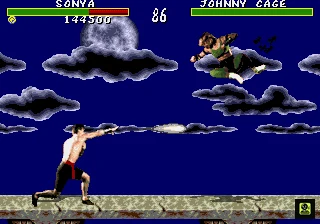
Confirm Sonya’s controls and practical distances
Use relative directions: moves toward the opponent and moves away. Reverse those directions whenever Sonya changes sides. On the standard three-button Genesis controller, is the punch button, is , is , and commonly functions as . On a six-button controller, use the configured punch, kick and Block buttons shown by the active setup. For Sonya’s documented three-button commands, the exact Genesis reference specifically instructs players to use physical for the punch inputs, so do not automatically convert every label into +.
Close means directly beside the opponent and within throw or Leg Grab range. Sweep means the spacing used by Sonya’s , Fatality distance conventions and by other characters’ sweep attacks; it is farther than Close but still within ground-attack range. Anywhere means Flame Kiss does not require a specific distance. Sonya has no character-specific dial-a-combo string in this original release. Her offense consists of universal punches, kicks, crouching attacks, jumping attacks, throws and her three documented special moves.
- Close Head Blow — or — directly beside the opponent.
- Close Knee — — directly beside the opponent.
- Crouched Block — + — use against incoming attacks.
- Uppercut — + or + — close anti-air and knockdown.
- Crouched Low Kick or High Kick — + or + — interruption and low checks.
- Foot Sweep — + — Sweep distance.
- Roundhouse — + — longer ground-range knockdown.
- Aerial Punch — , or + punch — jump-in attack.
- Aerial Kick — , or + kick — approach and jump-in pressure.
Control mid-screen space with Energy Rings
Energy Rings, also called Ring Toss in Genesis references, is , , in functional notation. On the Genesis three-button controller, use the documented physical input , , . Enter the two punch presses quickly. The Genesis move reference lists this as the three-button method rather than requiring a separate high-punch button. On six buttons, use the active setup’s punch button for both punch presses.
Use Energy Rings from mid-screen or farther, where Sonya has time to watch the opponent’s response. A grounded opponent must block, advance or jump. If the opponent jumps over the ring, stop firing and prepare + or + as the opponent descends into close range. If the opponent reaches Sonya, abandon Rings and defend, throw, use Leg Grab, sweep or attack with a close normal. Point-blank Rings give the opponent an opportunity to interrupt Sonya before the projectile is useful.
- Energy Rings — , , — functional command.
- Three-button Genesis input — , , — enter quickly.
- Six-button input — configured punch, , configured punch.
- Best range — mid-screen or farther.
- Opponent jumps — stop firing and prepare an anti-air.
- Opponent closes — block or use a close-range attack instead.
Use Square Wave Punch as a committed approach check
Square Wave Punch is , , . The exact Genesis reference gives the three-button version as , , . On six buttons, use the configured punch button for the final input. The move is useful against a committed ground advance, a whiffed normal or a predictable approach, but it is not Sonya’s safest point-blank option.
Do not repeat Square Wave Punch immediately after it is blocked or misses. Hold , walk backward or use a knockdown to reset the distance. At Close range, choose Close Head Blow, Close Knee, Uppercut, Leg Grab or a confirmed throw instead. If the opponent repeatedly jumps from outside Sonya’s normal anti-air range, return to Energy Rings and wait for the landing rather than forcing Square Wave Punch from too far away.
- Square Wave Punch — , , — functional command.
- Three-button Genesis input — , , .
- Six-button input — , , configured punch.
- Use — punish a committed approach or whiff.
- On block or miss — defend and reset.
- At Close range — prefer a normal, Uppercut, Leg Grab or throw.
Use Leg Grab at Close range
The primary exact Genesis reference lists Leg Grab as ++ at Close range. On the three-button controller, press while pressing +. On a six-button controller, press ++. The move knocks the opponent down, so use it after a successful close approach or when the opponent has finished a vulnerable attack.
A separate Genesis character reference reports a Block-inclusive version, +++. Keep that as a conflicting alternate for a target build that does not respond to the primary command; do not present it as the universal command. On a three-button setup, the alternate would use +++. If Sonya is not close enough, Leg Grab will fail or leave her exposed. Use Close Head Blow, Close Knee, Uppercut, Foot Sweep or Roundhouse when the spacing is wrong.
- Primary Leg Grab — ++ — Close.
- Primary three-button input — ++ — Close.
- Primary six-button input — ++ — Close.
- Conflicting alternate — +++ — Close.
- Alternate three-button test — +++.
- Do not add .
- After success — use the knockdown to return to useful spacing.
Treat the ordinary throw reports as unconfirmed alternatives
The available Genesis references disagree about Sonya’s ordinary throw. One report lists + at Close, while another lists + or +. Test these commands on the exact cartridge or emulator build before relying on them. On a three-button controller, the physical tests are +, + and +. On six buttons, test +, + and + if those are the configured punch and kick buttons.
Attempt a throw only when Sonya is already beside the opponent. Outside Close range, use a normal, sweep, Roundhouse, Leg Grab or Square Wave Punch. If none of the reported throw commands registers consistently, omit the throw from the ladder plan rather than gambling a round on an unverified input.
- Throw report one — + — Close.
- Throw report two — + or + — Close.
- Three-button tests — +, +, +.
- Six-button tests — +, +, +.
- Confirm the working command on the active build.
- Outside Close — use a normal, sweep, Roundhouse or special.
Perform Flame Kiss after the finishing prompt
Sonya’s Fatality is Flame Kiss, also listed as Kiss of Death: , , , , . It is listed at Anywhere distance. Begin only after Finish Him or Finish Her appears. On the three-button controller, is commonly ; on a six-button setup, use the configured button. Reverse and if Sonya is facing the opposite direction when the prompt appears.
Enter the four directions in sequence, then press as the final input. Starting outside Sweep distance can make the directional sequence easier to organize, but it is not required by the documented command. Because Genesis controller behavior can vary by setup, verify Flame Kiss in a low-risk match before attempting it at the end of a one-credit run.
- Flame Kiss — , , , , — Anywhere.
- Three-button final input — when Start is configured as Block.
- Six-button final input — configured .
- Begin only after Finish Him or Finish Her.
- Reverse directions after a side switch.
- Outside Sweep distance is convenient but not mandatory.
Apply Sonya’s match plan and complete the chapter
Against jump-heavy opponents, stay at mid-screen and throw Energy Rings while the opponent is grounded. When the opponent jumps, stop firing and use + or + as the opponent descends. If the opponent lands outside Uppercut range, use Foot Sweep or Roundhouse. Do not answer every approach with a jump; crouched Block and a grounded anti-air are more reliable ways to preserve position.
Against grapplers and other close-range fighters, keep moving between mid-screen and Sweep distance. Make the opponent advance through Rings, then punish a blocked or whiffed approach with a grounded attack or knockdown. Against Goro, avoid extended point-blank exchanges, use jump-back attacks when he closes and do not rely on one sweep pattern. Against Shang Tsung, identify the fighter he has morphed into and switch to the appropriate spacing plan instead of using one fixed script.
The Sonya chapter is complete when her universal attacks, Energy Rings, Square Wave Punch, primary Leg Grab, qualified Leg Grab alternate, throw reports and Flame Kiss have been practiced. The overall completion check is separate: Sonya must clear her ladder through Goro and Shang Tsung until the victory ending appears. Reptile is optional and is not required for Sonya’s ordinary Fatality or normal ladder completion.
- Close, crouched, sweep and aerial attacks are covered.
- No character-specific dial-a-combo string is assumed.
- Energy Rings uses , , on the three-button Genesis controller.
- Square Wave Punch uses , , on the three-button Genesis controller.
- Primary Leg Grab is ++ on three buttons.
- Block-inclusive Leg Grab remains a qualified alternate.
- Ordinary throw commands remain explicitly unconfirmed.
- Flame Kiss is , , , , at Anywhere distance.
- Sonya defeats Goro and Shang Tsung and the victory ending appears.
- Reptile remains a separate optional objective.
Before you move on
- Energy Rings is listed as [HP], [Back], [HP] functionally and [A], [Back], [A] on the documented three-button Genesis setup.
- Square Wave Punch is listed as [Forward], [Back], [HP] functionally and [Forward], [Back], [A] on the documented three-button Genesis setup.
- Primary Leg Grab is [Down]+[LP]+[LK] at Close range.
- The Block-inclusive Leg Grab report is retained only as a qualified alternate.
- The ordinary throw reports remain qualified and build-dependent.
- Flame Kiss is [Forward], [Forward], [Back], [Back], [Block] at Anywhere distance.
- Universal close, crouched, sweep and aerial attacks are covered.
- No later Mortal Kombat moves or finisher systems are added.
- Sonya’s normal completion requires defeating Goro and Shang Tsung until the victory ending appears.
- Reptile remains an optional separate objective.
References for this chapter
Kano — rush pressure, Knife Throw and Cannonball
Kano is strongest when he forces a close-range decision after controlling the approach with Knife Throw. Use sweeps, roundhouses, upward kicks and uppercuts to check movement, then threaten a throw when the opponent blocks too long. On the three-button Genesis pad, [A] supplies [LP], [B] supplies [LK], [C] supplies [HK], and [Start] commonly supplies [Block]. For this guide, use Cannonball’s primary Genesis procedure: hold [Block], enter [Forward], [Down], [Back], [Up], [Forward], then release [Block]. A conflicting exact-Genesis reference lists only [Forward], [Down], [Back], [Up]; test that alternate if the primary input does not register on the target cartridge or emulator. Kano’s primary Heart Removal procedure is [Back], [Back], [Back], [LP] at Close during Finish Him. A shorter [Back], [Back], [LP] report also exists and is retained only as an alternate. Kano has no Eye Laser, later straight or diagonal Kano Ball variants, or later Mortal Kombat finisher types in this release.
Confirm Kano’s Genesis controls and notation
Use the controller layout active on the cartridge or emulator. The standard three-button arrangement uses for punch, for , for , and as the usual button. A six-button controller may expose separate punch and kick buttons, so verify the active assignment before practicing. When this chapter specifies , press physical on the three-button pad. When a universal move specifically requires , use the Genesis high-punch translation supported by the controller reference rather than assuming every punch command uses the same physical input.
All directions are relative to Kano’s current facing. If he crosses through the opponent, reverse and . Close means touching or nearly touching the opponent. Sweep distance is the range at which Kano’s + sweep can connect. Full-screen means the farthest practical spacing between the fighters. These distance labels matter for Knife Throw, Heart Removal and Kano’s punish decisions.
- — physical punch button; use for
- — ; —
- — commonly on the three-button setup
- Reverse and after a side switch
- Close — touching range; Sweep — sweep range; Full-screen — maximum practical spacing
Use Kano’s universal attacks to approach and punish
At standing range, use a punch or kick to interrupt an opponent who walks forward or begins a slow attack. At Sweep distance, + performs the foot sweep and + performs the roundhouse. The sweep is useful for stopping a walk-in and creating a knockdown. The roundhouse reaches farther and is useful for checking movement without immediately committing to a special move.
For an anti-air, use + when the opponent is descending directly toward Kano. Use + for the uppercut when the opponent lands close or when a blocked jump attack leaves them within reach. Do not uppercut too early against a distant jump; wait until the opponent’s path enters Kano’s attack space.
Kano has no documented character-specific string sequence in this Genesis release. Build pressure from universal attacks instead: a jump kick on descent, a standing punch or kick, then a sweep, roundhouse or close throw. Repeated jump-ins are unsafe against an opponent waiting with an uppercut.
- + — sweep — Sweep distance — knock down advancing opponents
- + — roundhouse — standing or Sweep range — check movement and create space
- + — upward kick — close anti-air range — challenge descending jumps
- + — uppercut — Close — punish a badly timed jump or landing
- + or — throw — Close — punish repeated blocking
Control long range with Knife Throw
Knife Throw is performed by holding and entering , . Keep held while entering the directions, then release it after the knife registers. Use the move from Sweep distance toward Full-screen distance to make the opponent block, jump, or advance through the recovery.
Do not throw knives at point-blank range. If the opponent is already close, use a normal attack, +, or a throw. If the opponent jumps over the knife, stop the projectile pattern and prepare + or +. Against another projectile user, vary the timing instead of throwing on a fixed rhythm, because the recovery can be punished.
- Knife Throw — hold , , , then release — Sweep to Full-screen — control the approach
- After a jump over the knife — use + or +
- At Close distance — prefer a normal, uppercut or throw
Perform Cannonball with the primary Genesis procedure
Use the primary procedure for this guide by holding before entering , , , , . Release after the final so Kano launches into the Cannonball. Holding keeps Kano from jumping while the rotation is entered and is part of the primary procedure used here.
Exact-Genesis references conflict on whether the hold and final are required. If the primary procedure fails to register on the target cartridge or emulator, test the clearly labeled alternate , , , without treating as required. Do not combine both procedures or add an attack button. The move should knock the opponent back and down when it connects.
Use Cannonball after the opponent commits to a slow projectile, whiffs a long normal, or becomes predictable at long range. It is not safe to repeat on block or as a blind approach. Near a corner, an anticipated Cannonball can leave Kano close to the opponent without protection.
- Primary Cannonball — hold , , , , , , release — long-range approach or punish
- Conflicting alternate — , , , — test only if the primary procedure fails
- Do not add an attack button
- Use after a visible whiff or slow projectile commitment
- Do not repeat against an opponent waiting to block or anti-air
Complete Heart Removal at Close distance
When Finish Him appears, move Kano to Close distance and use the primary Genesis procedure , , , . On the three-button controller, press physical for the final . Do not replace the final with a directional high-punch translation.
Exact-Genesis references conflict on the number of inputs. The primary procedure for this chapter is , , , . Retain , , as the shorter alternate if the primary command does not register on the target build. Test the alternate only after checking that Kano is at Close distance and that the final button is physical . Enter the command during the Finish Him prompt.
- Primary Heart Removal — , , , — Close — Fatality
- Three-button final input — physical
- Conflicting alternate — , , — Close — test only if required by the target build
- Timing — enter the sequence during Finish Him
- Do not use + for the final
Use Kano through the ladder and against bosses
Against ordinary ladder opponents, begin around Sweep distance. Use one Knife Throw to provoke a reaction, then advance behind a jump kick or grounded kick. If the opponent blocks near Kano, threaten + or for a throw. If the opponent jumps, stop throwing knives and use + or +. Reserve Cannonball for a visible projectile commitment or whiff.
Against Goro, stay mobile and avoid standing directly underneath him. Do not repeatedly use Cannonball at close range; a blocked or mistimed roll can leave Kano vulnerable. Attack when Goro’s landing is exposed, then retreat instead of forcing a second exchange. Against Shang Tsung, react to the form currently on screen. Knife Throw can check a slow approach, while Cannonball should be reserved for a visible recovery window rather than used as a guess.
If Kano loses a round, return to Sweep distance instead of immediately rematching at point-blank range. Re-establish space with a sweep, roundhouse or Knife Throw, then make the opponent commit before spending health on a risky Cannonball.
- Start at Sweep distance and test the opponent with Knife Throw
- Use jump kicks and grounded attacks to approach
- Punish clear projectile recovery or whiffs with Cannonball
- Use throws after repeated blocking at Close
- Against Goro and Shang Tsung, prioritize spacing and recovery punishment
Before you move on
- Perform Knife Throw by holding [Block], entering [Back], [Forward], and releasing [Block] from Sweep or Full-screen distance.
- Perform Cannonball using the primary procedure: hold [Block], enter [Forward], [Down], [Back], [Up], [Forward], then release [Block]. If it fails on the target build, test the alternate [Forward], [Down], [Back], [Up].
- Use [Back]+[LK] for a sweep, [Down]+[A] for the practical Uppercut, and [Forward]+[LK] or [HK] for a close throw.
- Complete Heart Removal using the primary [Back], [Back], [Back], [LP] command at Close during Finish Him. If it fails after the distance and final-button checks, test the conflicting [Back], [Back], [LP] report.
- Defeat a ladder opponent using grounded pokes or a jump kick to approach, Knife Throw for spacing, and Cannonball only after a visible whiff or projectile commitment.
Raiden — zoning, Teleport and defensive disruption
Raiden controls matches by making the opponent react to Lightning Bolt, then punishing predictable advances with Uppercut, Torpedo or a close normal. His Genesis move reference includes Lightning Bolt, Torpedo and Teleport, with [Down], [Up] as the primary Teleport command and [Down], [Down], [Up] retained only as a conflicting report for exact-build testing. On a six-button pad, [A] is [LP], [X] is [HP], [B] or [Y] is [Block], [C] is [LK], and [Z] is [HK]. On a three-button pad, [A] is [LP], [B] is [LK], [C] is [HK], [Start] is [Block], and universal [HP] is performed with [Back]+[A]. Raiden’s Lightning Bolt uses [LP], so it ends with physical [A] on either pad. His Genesis Electrocution reference is listed with [HP] notation but specifically uses the three-button punch input [A]. Use spacing and reaction rather than repeated Torpedoes or random Teleports to defeat the ladder, Goro and Shang Tsung.
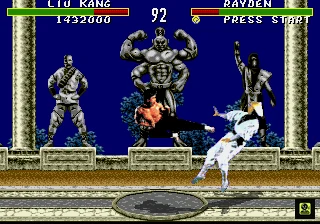
Set the Genesis controls and identify Raiden’s ranges
Treat all direction inputs as relative to Raiden’s facing. moves toward the opponent and moves away. Reverse them immediately after a side switch. Close means nearly touching the opponent, including throw, Head Blow, Knee and Uppercut range. Sweep means a few steps apart, close enough for Foot Sweep. Full-screen means the greatest practical distance across the arena.
The common six-button layout is = , = , or = , = , and = . On the three-button controller, = , = , = , and = . The universal three-button translation is +. This distinction matters: a move specifically documented with ends with , while a universal normal uses +.
Raiden has no later-game dial-a-combo system in this release. Build offense from individual normals, throws, Uppercuts, Foot Sweep, Roundhouse, Lightning Bolt and Torpedo. Use the control layout that lets you block consistently; a three-button pad is workable, but must be held during live play for Block.
- — — Close to mid-range — quick interruption.
- — on six buttons; + on three buttons — Close — strong punch.
- — on six buttons; on three buttons — Close — Knee when close.
- — on six buttons; on three buttons — Close — strong kick and throw input.
- Throw — + — Close — Genesis-specific chart reference; an older Genesis FAQ also reports +. Test the chosen input on the target setup.
- Crouched Block — + — crouching — defend while staying grounded.
- Low-punch Uppercut — + — Close — use + on either controller.
- High-punch Uppercut — + — Close — use , on six buttons or , + on three buttons.
- Crouched Low Kick — + — Close to Sweep — low check.
- Crouched High Kick — + — Close to mid-range — upward challenge.
- Foot Sweep — + — Sweep — knock the opponent down.
- Roundhouse Kick — + — Sweep to mid-range — intercept a committed advance.
- Flying Punch — , or + or — aerial range — jump-in attack.
- Flying Kick — , or + or — aerial range — approach or challenge.
Control mid-screen with Lightning Bolt
Lightning Bolt is , , . The final is physical on both Genesis controller layouts. From mid-screen through Full-screen, use the Bolt to make the opponent block, jump or advance. Vary the timing instead of throwing it whenever Raiden reaches the same distance.
If the opponent jumps over the Bolt, stop firing and prepare an Uppercut as the opponent enters Close range. Use the low-punch version, +, when you want the straightforward three-button input. If you deliberately choose the high-punch Uppercut, use ++ on a three-button pad or + on a six-button pad.
A blocked Bolt is a spacing opportunity, not guaranteed pressure. Retreat, Block or use a grounded normal only when the opponent visibly walks into range. Do not automatically cancel every Bolt into Torpedo.
- Lightning Bolt — , , — mid-screen to Full-screen — force a response.
- Three-button Lightning Bolt — , , — mid-screen to Full-screen — is the finish.
- Low-punch anti-air — + — Close landing range — use against a readable jump.
- High-punch anti-air — , + on three buttons or + on six buttons — Close landing range — universal version.
- Bolt-to-space — throw Lightning Bolt, then advance after a block or retreat — mid-screen — gain ground without overcommitting.
Punish recovery with Torpedo
Torpedo, also called Flying Attack or Flying Thunderbolt in Genesis references, is , , . It crosses the arena and knocks the opponent down. Use it after a projectile has visibly started, after a long normal whiffs, or when the opponent commits to an attack with obvious recovery.
Torpedo is punishable if the opponent blocks it, so do not use it as Raiden’s default approach. At Close range, a low-punch Uppercut, grounded punch, Crouched Low Kick or throw is usually easier to control. At Full-screen distance, wait for a commitment before starting the command.
A jump-in followed by one grounded normal is a practical hit confirmation, not a guaranteed string. If the jump-in is blocked, return to or retreat instead of forcing Torpedo.
- Torpedo — , , — any range, best against visible recovery — cross-screen punish.
- Projectile punish — wait for the projectile to begin, then , , — mid-screen or Full-screen — punish recovery.
- Jump-in to normal — +, then one grounded attack — Close on landing — confirm the hit.
- Jump-in to throw — +, then + — Close — use against continued blocking.
- Blocked jump-in reset — or retreat — Close — avoid predictable retaliation.
Use Teleport deliberately
The primary Genesis-specific Teleport command is , . Test it from both sides of the screen before a serious ladder attempt. Another Genesis move chart lists , , . Keep that as a conflicting exact-edition report and test it only if , fails on the target cartridge or emulator configuration.
Teleport is useful after Lightning Bolt pressure, while escaping a corner, or when the opponent has visibly committed to a projectile or long approach. It is not safe when activated randomly: Raiden may reappear directly into a waiting attack.
When cornered, hold through the first part of the approach. Teleport after the opponent begins an attack or repeats a recognizable pattern. Once Raiden reappears, confirm which side he is facing before attacking. Use a punch or Uppercut only when the landing position is readable.
- Teleport primary — , — any range — test this command first.
- Teleport alternate — , , — any range — conflicting Genesis report; test only if required by the target build.
- Corner escape — , wait for commitment, then verified Teleport — corner — avoid panic activation.
- Teleport punish — confirm Raiden’s landing side, then , or + — Close — punish a predictable reappearance.
- Side-switch check — reverse and after Raiden changes sides — any range.
Perform Electrocution at Close range
Raiden’s Electrocution Fatality is , , , , at Close range in universal notation. The Genesis-specific reference explicitly says to use on a three-button controller, so the physical three-button command is , , , , . On six buttons, use for the final .
Move until Raiden is nearly touching the defeated opponent before entering the sequence. Reverse and after a side switch. Enter the command during the Finish Him prompt. Block is not part of this Fatality command.
If the Fatality fails, check Close distance, facing direction, prompt timing and the physical button translation. Do not replace the final input with + on a three-button pad; that is the universal high-punch translation, while the Genesis character reference overrides this Fatality’s final punch to , physical .
- Electrocution — , , , , — Close — final six-button input is .
- Three-button Electrocution — , , , , — Close — Genesis-specific override.
- Facing check — reverse and after a side switch — either side.
- Distance check — stand nearly touching the opponent — Close — do not begin from Sweep distance.
- Success check — the Electrocution animation begins after the final verified punch input.
Defeat Goro and Shang Tsung
Against Goro, stay around mid-screen and wait for a commitment. When he jumps into Close range, use the low-punch Uppercut, +, or the high-punch version, ++ on three buttons. On six buttons, the high-punch version is +. If Goro’s long attack whiffs, use Torpedo from distance or a grounded attack when already close. Avoid repeated jumps toward him.
At Close range, Block first instead of challenging every movement. After Goro’s attack ends, use a punch, Uppercut, Crouched Low Kick or throw when recovery is visible. Raiden wins by taking confirmed opportunities instead of trading repeatedly with Goro’s large attacks.
Shang Tsung can morph into the seven selectable fighters or Goro. Identify the current form before responding. Against a projectile form, Block or use Torpedo only after the projectile visibly begins. Against a jump-in, prepare + or the verified high-punch Uppercut. Against close pressure, Block the first approach and punish recovery with a grounded attack, Uppercut or throw.
When Shang Tsung returns to normal form, resume Lightning Bolt from mid-screen. If Raiden is cornered, Block the first approach and Teleport only after Shang Tsung commits. A panic Teleport can place Raiden directly into the next attack.
- Goro jump — + or verified high-punch Uppercut — Close landing range — anti-air the readable jump.
- Goro recovery — grounded normal or Torpedo — matching range — punish after the attack ends.
- Shang Tsung projectile — or timed Torpedo — mid-screen — react to the projectile.
- Shang Tsung jump-in — + — Close landing range — anti-air.
- Shang Tsung close pressure — , then grounded attack, Uppercut or throw — Close.
- Morph recognition — identify the current form before responding — any range — avoid one fixed script.
Before you move on
- You can perform Lightning Bolt with [Down], [Forward], [A] while Raiden faces either direction.
- You can perform Torpedo and recognize projectile or long-normal recovery.
- You have tested [Down], [Up] first and [Down], [Down], [Up] only as the alternate on the target Genesis build.
- You can identify Close, Sweep and Full-screen spacing.
- You can perform Raiden’s Head Blow, Knee, Crouched Block, crouched kicks, Foot Sweep, Roundhouse, aerial punch and aerial kick.
- You can perform the low-punch Uppercut with [Down]+[A] and understand that the universal high-punch version is [Down], [Back]+[A] on three buttons or [Down]+[X] on six buttons.
- You can anti-air a readable jump without confusing the low-punch and high-punch controller translations.
- You can perform Electrocution with [Forward], [Back], [Back], [Back], [X] on six buttons.
- On three buttons, you can perform Electrocution with [Forward], [Back], [Back], [Back], [A] at Close range.
- You have tested the Genesis throw command before relying on it as a punish.
- You can defeat Goro and Shang Tsung by reacting to visible commitments rather than repeating one special.
- Raiden chapter completion is confirmed when you defeat Shang Tsung and can trigger Electrocution using the verified controller translation.
Scorpion — spear game, teleport and Toasty follow-up
Scorpion controls mid-range with Spear, converts a successful pull into an Uppercut, and uses Teleport Punch as a targeted answer to predictable projectiles or slow attacks. On the three-button Genesis controller, [A] is [LP], while universal [HP] is [Back]+[A]. Scorpion’s Genesis reference gives Teleport Punch as an exception: although the move is labeled [HP], use physical [A] for this command. Confirm the active [Block] button before attempting Fire Breath. Toasty is the presentation associated with Scorpion’s Fatality, not a separate attack. Reptile is an optional hidden CPU encounter and is not required for the normal ladder ending.
Set the controller and establish Scorpion’s distances
Use and relative to Scorpion’s current facing. Reverse them immediately after he crosses through the opponent. On the three-button Genesis controller, is , is , is , and is commonly used for . Universal is performed with +. Do not describe as both punch strengths by default. Scorpion’s Teleport Punch is an edition-specific exception: its move-list label is , but the Genesis reference instructs three-button players to use physical .
On a six-button setup, the common layout is = , = , = , = , with , or serving as depending on the active configuration. Confirm the actual button before attempting a Fatality. Close means standing directly beside the opponent, where throws, close attacks and Fire Breath are practical. Sweep means roughly the distance at which Foot Sweep connects. Full-screen means the fighters are at opposite ends of the arena. Commas indicate sequential inputs; + indicates simultaneous inputs.
- Three-button universal mapping: = , + = .
- Three-button kicks: = , = .
- Three-button : commonly ; verify the active setup.
- Six-button common mapping: = , = , = , = .
- Close — throw, close attack and Fire Breath range.
- Sweep — Foot Sweep and Fatality range.
- Full-screen — opposite ends of the arena.
Use Spear to create the Uppercut opportunity
Spear — , , — mid-range to Full-screen — sends the harpoon forward and pulls a successful opponent toward Scorpion. On either controller type, use the physical button: on the three-button pad or on the common six-button layout. Throw it after a whiffed long normal, a badly timed projectile or a predictable retreat. Avoid repeated point-blank attempts against a blocking opponent because Scorpion can be struck during recovery.
After the harpoon connects, wait for the opponent to reach Close range, then use the practical low-punch Uppercut — +. On three-button controls this is +. A universal high-punch Uppercut would instead be , + on the three-button pad, or + on the common six-button layout. The low-punch version is the simpler conversion to practice after Spear. Pressing too early makes the Uppercut miss before the pull finishes.
Head-Blow — or at Close — is a quick close normal. On three buttons, its low-punch version is , while the universal high-punch version is +. Knee — at Close — is another close attack. Throw — + or at Close — is the practical Genesis throw reference. Foot Sweep — + — gives Scorpion a reliable knockdown at Sweep distance, while Roundhouse — + — reaches farther but is more punishable when it misses.
- Spear — , , — mid-range to Full-screen.
- Low-punch Uppercut — + — Close.
- Three-button low-punch Uppercut — +.
- Three-button universal high-punch Uppercut — , +.
- Six-button high-punch Uppercut — +.
- Head-Blow — or — Close.
- Knee — — Close.
- Throw — + or — Close.
- Foot Sweep — + — Sweep distance.
- Roundhouse — + — Sweep distance.
Use Teleport Punch as a deliberate counter
Teleport Punch — , , — any distance — travels off-screen and attacks from the opposite side. On six-button controls, use , , . On the three-button Genesis controller, use the documented Scorpion exception , , . Do not replace that command with , , +; the move reference specifically calls for physical on three-button controls.
Use Teleport Punch against a committed projectile, a slow attack or a retreat that leaves the opponent unable to cover Scorpion’s landing. A waiting opponent can block and punish a predictable teleport, so do not perform it automatically after every projectile. At Close range, prefer crouch-block, a quick punch, Uppercut, Foot Sweep or throw.
A jump-in followed by Teleport Punch may catch a grounded opponent, but it is not a guaranteed string. Practice the aerial attack and Teleport Punch separately, then add Spear or Uppercut only after confirming the first action connected or forced recovery.
- Teleport Punch — , , — any distance.
- Six-button input — , , .
- Three-button Scorpion exception — , , .
- Use against committed projectiles or slow attacks.
- Do not treat Teleport Punch as a guaranteed combo.
Defend with anti-air Uppercuts and ground checks
Standing or interrupts a direct walk-in at Close range. On three-button controls, use for and + for universal . Crouching Low Kick — + — checks a low approach, and Crouching High Kick — + — challenges selected close attacks. Crouching Block — + — is the default defense against grounded pressure.
Use the low-punch Uppercut — +, or + on three buttons — as Scorpion’s primary anti-air. Wait until a jumping opponent descends into Close range rather than pressing at the start of the jump. If the Uppercut whiffs, Scorpion can be punished during recovery. Against repeated jumps, hold position, block when necessary, and anti-air the next predictable entry.
At Sweep distance, alternate Foot Sweep and Roundhouse to discourage forward movement. Do not over-jump; predictable aerial approaches can be answered by an Uppercut or a jump attack. Against Goro, stay mobile, anti-air his jumps and use Spear after a clear recovery. Against Shang Tsung, vary Spear timing and avoid Teleport Punching at every morph or projectile.
- Standing — on three-button controls — Close.
- Standing universal — + on three-button controls — Close.
- Crouching Block — +.
- Crouching Low Kick — +.
- Crouching High Kick — +.
- Low-punch Uppercut — + — anti-air.
- Three-button low-punch Uppercut — +.
- Aerial Punch — , or + or .
- Aerial Kick — , or + or .
Perform Fire Breath after a normal victory
Fire Breath Fatality — hold , then press , — Sweep distance — after the Finish Him prompt. On six-button controls hold the configured button. On the three-button layout hold only when is the active control. Release according to the behavior of the target cartridge or setup if the input requires it.
The held- method prevents the first from becoming an ordinary jump. A Genesis move reference also documents a no- method: stand at the correct Sweep distance and press repeatedly so Scorpion jumps and completes the Fatality as he descends. Use the held- method for ordinary play unless testing a build or Reptile condition that requires the alternate sequence.
Toasty is the presentation associated with Scorpion’s fire-breath animation. It is not an additional move or separate finisher. The original release does not include Friendship, Babality, Animality or Brutality systems. The Pit environmental Fatality is separate from Fire Breath.
- Fire Breath — hold , , — Sweep distance.
- Three-button held- version — hold if configured as .
- Release according to the target build’s input behavior.
- No- alternative — press repeatedly from the correct distance.
- Toasty is presentation context, not a second finisher.
- Friendship, Babality, Animality and Brutality are unavailable.
Attempt Reptile only as an optional target-build test
Reptile is a hidden CPU opponent, not selectable and not part of the normal ladder ending. Start a one-player CPU game and reach The Pit. The qualifying fight must show the applicable silhouettes crossing the moon, and you must win both rounds without taking damage. Do not press during either qualifying round. End the fight with Scorpion’s own Fire Breath Fatality rather than the Uppercut stage Fatality.
Genesis references disagree about Fatality-time . One reference allows during the Fatality, while another recommends avoiding the held- input because it may conflict with the qualifying no- condition. The sources do not establish a dependable cartridge-label or ROM-header rule, so verify the behavior on the exact cartridge or dump. Do not treat arcade revision numbers such as 3.0 or 4.0 as Genesis cartridge identifiers.
If the encounter activates, Reptile appears in Pit Bottom and uses Scorpion’s and Sub-Zero’s special moves at unusually high speed. Keep him at mid-range, anti-air his jumps, and punish missed Spear or Freeze attempts. Avoid trading at Close range. Defeating him does not make him selectable and does not replace the standard tournament completion objective.
- One-player CPU mode.
- The Pit stage.
- Applicable moon-silhouette event.
- Double Flawless victory.
- No during either qualifying round.
- Scorpion’s Fire Breath, not the Pit Uppercut.
- Verify Fatality-time behavior on the target build.
- Fight Reptile in Pit Bottom if the event activates.
- Do not expect Reptile to become selectable.
Before you move on
- The active [Block] button is confirmed.
- Universal three-button [LP] is understood as [A].
- Universal three-button [HP] is understood as [Back]+[A].
- Spear works as [Back], [Back], [LP].
- Spear can be converted into low-punch Uppercut at Close range.
- Three-button low-punch Uppercut works as [Down]+[A].
- Six-button Teleport Punch works as [Down], [Back], [X].
- Scorpion’s three-button Teleport Punch works as [Down], [Back], [A].
- Foot Sweep, Roundhouse, Head-Blow, Knee, aerial attacks and the throw input are understood.
- Fire Breath works at Sweep distance with held [Block], [Up], [Up].
- The no-[Block] Fatality alternative is understood as a build-dependent test.
- Scorpion remains distinct from Reptile, Goro and Shang Tsung.
- No [Block] is pressed during qualifying Reptile rounds.
- Toasty is understood as animation context, not a second finisher.
- Unavailable finisher types are not attempted.
References for this chapter
- Characters & Move Lists — Mortal Kombat Walkthrough & Guide — Genesis — GameFAQs
- Finding Reptile — Mortal Kombat Walkthrough & Guide — Genesis
- Mortal Kombat — Move List and Guide — Genesis — AEspindola
- Mortal Kombat — Move List and Guide — Genesis — By SirGalahad — GameFAQs
- MKKomplete — Mortal Kombat (1992) Move List/Bios — Sega Genesis
Sub-Zero — zoning, freeze and anti-air strategy
Sub-Zero controls space with Deep Freeze, then walks in for a reliable Uppercut, throw or close attack. His Genesis moveset is limited to Deep Freeze and Slide Attack; Ice Clone, Ground Freeze and later combo systems are unavailable. On six buttons, [A] is [LP], [X] is [HP], [C] is [LK], [Z] is [HK], and [B], [Y] or [Start] may be assigned to [Block]. On three buttons, [A] is [LP], [B] is [LK], [C] is [HK], and [Start] is [Block]. The standard physical translation for [HP] is [Back]+[A], but commands specifically marked to use [LP] end with [A]. Deep Freeze is [Down], [Forward], [LP], so use [Down], [Forward], [A]. Sub-Zero’s Fatality is printed as [Forward], [Down], [Forward], [HP], but the Genesis character reference explicitly gives [LP] for three-button play, so finish with [A], not [Back]+[A]. Use Deep Freeze at Sweep or Full-screen distance, convert a freeze with [Down]+[A], and never freeze an already frozen opponent because Double Ice Backfire freezes Sub-Zero instead.
Set the controller and identify distances
Use toward the opponent and away from the opponent. Reverse both directions whenever the fighters change sides. Close means directly beside the opponent, within throw, close normal and Fatality range. Sweep means a couple of steps away, close enough for Foot Sweep or Roundhouse to connect. Full-screen means the greatest practical separation on the stage, where a projectile can still reach or force movement.
The six-button Genesis layout is = , = , = , = , with , or commonly functioning as . On the three-button pad, = , = , = , and = . For ordinary high-punch commands, use the standard three-button translation +. Thus a universal high-punch Uppercut is ++. The low-punch version is +.
Some Genesis references describe high and low punches as combined on the three-button pad, while the Genesis universal chart gives as +. Use the explicit character instructions when they exist. Sub-Zero’s Deep Freeze is an command and ends with . His Fatality is printed with , but its Genesis entry explicitly says to use on three buttons, so its final physical input is also . Test both punch forms in Versus before starting the ladder.
- — on three buttons or on six buttons — basic punch and LP-listed specials.
- — + on three buttons or on six buttons — standard high-punch translation.
- — on three buttons or on six buttons — low kick.
- — on three buttons or on six buttons — high kick.
- — on three buttons or the configured six-button input — hold to defend.
- High-punch Uppercut — ++ on three buttons — use when a command specifically requires .
- Low-punch Uppercut — + — practical anti-air and punish.
Use Sub-Zero’s normal and command attacks
At Close range, or produces the Head-Blow, while produces the Knee. These are short interruptions and close conversions rather than a modern pressure string. The Genesis move reference lists the ordinary throw as at Close. If your setup does not register that throw consistently, verify the controller mapping in Versus before relying on it in the ladder.
Use + for Crouched Block, + for Crouched Low Kick and + for Crouched High Kick. The practical low-punch Uppercut is +. Use ++ only when you deliberately need the universal high-punch form. Foot Sweep is +, and Roundhouse is +, both primarily from Sweep distance.
Jumping Punch uses , or plus or . Jumping Kick uses the same airborne directions plus or . Use jump attacks to approach after conditioning the opponent or to punish a recovery animation; repeated neutral jumping gives the opponent an easy anti-air.
- Close Head-Blow — or at Close — interrupt or follow up on a frozen opponent.
- Close Knee — at Close — short-range interruption.
- Throw — at Close — punish an opponent who keeps blocking beside you.
- Crouched Block — + — defend against grounded attacks.
- Low-punch Uppercut — + — primary anti-air and punish.
- High-punch Uppercut — ++ — universal high-punch form when required.
- Foot Sweep — + — Sweep — knock down grounded movement.
- Roundhouse Kick — + — Sweep — check a walking approach.
- Jumping Punch — , or + or — airborne attack.
- Jumping Kick — , or + or — approach or punish.
Control neutral with Deep Freeze
Deep Freeze is , , . On the three-button controller, is physical , so enter , , . On six buttons, finish with . Use the move from Sweep distance or farther when the opponent walks forward, jumps predictably or finishes a projectile. It is a commitment tool: do not wait until an active rushdown attack is already touching Sub-Zero.
When Deep Freeze connects, walk directly to Close range and use the low-punch Uppercut +. This is the simplest reliable conversion. A Close Head-Blow, Knee or throw can also work, but the Uppercut gives immediate damage and a knockdown without requiring a complicated sequence.
Never use Deep Freeze against an opponent who is already frozen. The Genesis reference identifies this as Double Ice Backfire, which freezes Sub-Zero instead. If Deep Freeze is blocked or avoided, stop advancing, hold and return toward Sweep distance. Sub-Zero wins by making the opponent approach through the freeze threat, not by forcing repeated point-blank specials.
- Deep Freeze — , , — , , on three buttons — Sweep or Full-screen.
- Freeze into Uppercut — walk to Close, then + — basic conversion.
- Double Ice Backfire — do not repeat Deep Freeze against a frozen opponent — freezes Sub-Zero.
- Blocked Deep Freeze — hold and retreat — avoid forcing a close exchange.
Use Slide Attack as a knockdown tool
The primary Genesis Slide Attack command is ++, pressed simultaneously. On three buttons, use ++. On six buttons, use ++. The Slide knocks the opponent backward and down, making it useful for ending an approach or resetting the fight to Sweep distance.
One older Genesis guide reports an alternate +++ command. Treat it as conflicting documentation or a target-build variation, not as the default. If ++ or ++ fails on the target setup, test the alternate in Versus before relying on it in the ladder.
Use Slide after a connecting jump kick, against a whiffed high attack or to end a read on the opponent’s recovery. Do not repeatedly Slide into a blocking opponent. A blocked Slide can leave Sub-Zero close enough to be punished.
- Slide Attack — ++ — Sweep or recovery range — knockdown.
- Three-button Slide — ++ — press both kick buttons together.
- Six-button Slide — ++ — press both kick buttons together.
- Conflicting report — +++ — test only if the primary command fails.
- Jump kick into Slide — connect the jump kick, then press the Slide command on landing — practical knockdown.
Defend, anti-air and punish the ladder
Against a direct jump-in, wait until the opponent enters Close range and use + for the low-punch Uppercut. If the jump is too far away, use standing , retreat, or prepare Deep Freeze for the landing. Do not attempt a late freeze while the opponent is already attacking at Close range.
Against rushdown, crouch and hold through the first contact. Watch for a jump, whiffed high attack or recovery animation, then answer with Uppercut at Close, Roundhouse from Sweep distance, Foot Sweep, or the throw when already beside the opponent. Avoid repeated jumps because predictable jumping removes Sub-Zero’s ability to react.
Against Goro, stay outside close range and use Deep Freeze when he commits to walking forward. Once frozen, walk in for +. Against Shang Tsung, hold ground and punish the end of a projectile, jump or transformation recovery with Deep Freeze. Do not chase every transformation across the screen.
Sub-Zero is strongest when he preserves health for later matches. After a Slide knockdown, reset to Sweep distance and make the opponent approach again. If you lose a round, do not recover with point-blank freezes; block, create space and return to the freeze-and-punish pattern.
- Direct jump-in — + at Close — primary anti-air.
- High-punch Uppercut — ++ — use only when the form is required.
- Far jump — standing or retreat — do not force a late Uppercut.
- Blocked pressure — crouch and hold — wait for a jump or recovery.
- Whiffed high attack — Roundhouse, Foot Sweep or Deep Freeze — punish from the correct distance.
- Goro — maintain Sweep distance, freeze his approach, then use +.
- Shang Tsung — hold ground, punish recovery and avoid reckless pursuit.
Perform the Fatality and separate it from The Pit finish
At the Finish Him prompt, stand at Close range and enter , , , . On six buttons, the final input is . On the three-button Genesis controller, this character-specific entry explicitly says to use , so finish with physical . Do not use + for this Fatality. With the blood setting enabled, the uncensored result is the Head and Spine Removal; without it, the game displays the censored Huge Uppercut presentation.
Enter directions relative to Sub-Zero’s current facing. If the fighters switch sides, mirror every direction. The Fatality is separate from the ordinary + Uppercut and from The Pit stage finisher. The move list does not require a final or a separate modern Fatality command.
To enable the Genesis blood presentation, enter , , , , , , at the Code of Honour screen. The code changes the finishing presentation; it does not add Ice Clone, Ground Freeze or later finishing systems.
For The Pit finish, knock the opponent to the bridge edge and use the Uppercut during Finish Him. Use + as the practical three-button input. This environmental finish is not Sub-Zero’s character Fatality. The original release has no Friendship, Babality, Animality or Brutality system.
- Sub-Zero Fatality — , , , — Close — use on six buttons.
- Three-button Fatality exception — , , , — final physical input .
- Do not substitute + for this three-button Fatality.
- ABACABB — , , , , , , — Code of Honour screen — enable blood presentation.
- Pit Fatality — + Uppercut at the bridge edge during Finish Him — The Pit only.
- Unavailable — Ice Clone, Ground Freeze, Friendship, Babality, Animality and Brutality.
Before you move on
- Verify [LP], [HP], [LK], [HK], [Block] and both Uppercut forms in Versus: [Down]+[A] for low punch and [Down]+[Back]+[A] for high punch.
- Confirm that the three-button controller produces Deep Freeze with [Down], [Forward], [A].
- Practice Close Head-Blow, Close Knee, [HK] throw, crouched Block, crouched kicks, [Down]+[A] Uppercut, [Down]+[Back]+[A] Uppercut, Foot Sweep, Roundhouse, jumping punch and jumping kick.
- Perform Deep Freeze, walk to Close range and convert with [Down]+[A] without triggering Double Ice Backfire.
- Test Slide with [Back]+[B]+[C], then test [Back]+[LP]+[Block]+[LK] only if required by the target setup.
- Enter [A], [B], [A], [C], [A], [B], [B] at the Code of Honour screen and verify the blood-enabled presentation.
- During Finish Him, stand at Close range and perform [Forward], [Down], [Forward], [A] on the three-button controller; confirm the uncensored Head and Spine Removal when blood is enabled.
- Use the [Down]+[A] Uppercut at The Pit bridge edge for the separate stage Fatality.
- Clear the Genesis single-player ladder with Sub-Zero through the Endurance matches, Goro, Shang Tsung and the victory ending.
References for this chapter
Secrets, Unlocks & Reptile — Genesis hidden content
The original North American Sega Genesis Mortal Kombat release has seven ordinary selectable fighters: Liu Kang, Johnny Cage, Kano, Raiden, Scorpion, Sub-Zero, and Sonya Blade. Reptile is hidden CPU content, not a normal selectable character. Goro and Shang Tsung are bosses and do not become selectable after defeat. To test for Reptile, use one-player CPU mode, reach The Pit, wait for the applicable silhouette or moon event, win both rounds without taking damage, avoid [Block] throughout the qualifying combat, and finish with the selected fighter’s own Fatality. The ordinary Pit uppercut is not a universal substitute, although Liu Kang has a documented character-specific exception. References to arcade versions 3.0 and 4.0 describe arcade revision history; they do not establish a required internal revision number for a Genesis cartridge. Verify the event directly on the target cartridge or dump. ABACABB changes blood and Fatality presentation. DULLARD opens optional testing flags and must be disabled before a clean attempt. Neither code makes Reptile selectable.
Confirm the roster and edition
At the normal character-selection screen, confirm Liu Kang, Johnny Cage, Kano, Raiden, Scorpion, Sub-Zero, and Sonya Blade. These are the seven ordinary playable fighters in the original Genesis release. Reptile does not appear as a normal portrait. Goro is the tournament sub-boss and Shang Tsung is the final boss; defeating either one does not unlock either character for standard selection.
Use the original Sega Genesis or Mega Drive cartridge and its ordinary single-player mode. Do not substitute Mortal Kombat II, a Sega CD release, a remake, a compilation, a ROM hack, or an enhanced fan edition. A regional label such as World or a database label such as v1.1 is not enough to establish hidden-event behavior. Record the cartridge, dump, emulator core, and any visible revision information before testing.
- Liu Kang, Johnny Cage, Kano, Raiden, Scorpion, Sub-Zero, and Sonya Blade are selectable.
- Reptile is absent from normal selection.
- Goro and Shang Tsung are treated as bosses.
- The tested software is the original Genesis release.
- The exact cartridge or dump identity is recorded.
Do not apply arcade revision numbers to Genesis
Some older references explain Reptile by discussing arcade versions 3.0 and 4.0. In that context, version 3.0 is associated with Reptile's presence, while version 4.0 is associated with the recognizable pre-fight clue behavior. Those statements describe arcade revision history. They do not prove that a Genesis cartridge contains an equivalent internal version number or that a particular Genesis release can be identified as version 3.0 or 4.0.
For Genesis, treat the hidden fight as a behavior to verify on the target software. If a cartridge or dump shows silhouettes, clue text, a Bottom of the Pit transition, or another documented Reptile event, record exactly what occurred. If the event does not appear, do not infer that the cartridge is an arcade-style version 3.0 or 4.0. The ordinary tournament route remains complete without Reptile.
- Arcade version 3.0 and 4.0 terminology is not used as a Genesis requirement.
- The target cartridge or dump is tested directly.
- Observed clues and transitions are recorded rather than assumed.
- A failed or unavailable Reptile test does not invalidate normal completion.
Use ABACABB only for blood and Fatality presentation
At the opening Code of Honor or introductory screen, enter , , , , , , . On the Genesis release, ABACABB is the blood code. Confirm the change in blood and Fatality presentation before beginning practice or a clean tournament run.
ABACABB does not make Reptile selectable, force The Pit, bypass the Double Flawless requirement, alter the normal ladder, or unlock Goro or Shang Tsung. It is acceptable for ordinary Fatality practice, but record whether it was active when documenting a hidden-fight attempt.
- Enter , , , , , , at the opening screen.
- Confirm the blood and Fatality-presentation change.
- Do not count ABACABB as a Reptile unlock.
- Record the code state separately from hidden-fight testing.
Keep DULLARD experiments separate
At the Start or Options screen while the fighter portraits are scrolling, enter , , [Left], [Left], , [Right], . If accepted, DULLARD adds a Cheat Enabled option. The available flags can force or alter Pit conditions, display Reptile clues, and change other testing conditions.
Use DULLARD only as a diagnostic tool. A forced moon event or forced clue can confirm that the software contains related assets, but it is not clean evidence that the normal trigger succeeded. Turn off every flag and reset the game before attempting a legitimate Reptile record. Do not describe a cheat-forced fight as an ordinary unlock.
- Enter DULLARD at the Start or Options screen, not during a match.
- Confirm that Cheat Enabled appears.
- Use flags only for separate diagnostics.
- Disable all flags and reset before a clean attempt.
- Keep cheat-assisted results out of the completion record.
Reach The Pit and satisfy the qualifying conditions
Start a one-player CPU game and continue until the match takes place on The Pit. Watch the moon and background during the match. The required event is the applicable silhouette or moon-silhouette occurrence supported by the target Genesis software. Do not substitute an arcade frequency claim or assume that the event must appear after a fixed number of matches.
Win both rounds without taking damage. Double Flawless means that the winning fighter takes no damage in either round. Do not press or register during the qualifying Pit combat. This restriction applies to both rounds, including neutral exchanges and the final knockdown. If you take damage or use , abandon that attempt and restart the test.
- The match is one-player CPU mode.
- The stage is The Pit.
- The target software's applicable moon or silhouette event occurs.
- Both rounds are won without damage.
- is not used during either qualifying round.
Use the fighter's own Fatality
The ordinary Pit stage finisher is an uppercut that sends the opponent from the bridge into the spikes. Do not use that environmental finish as a universal replacement for the required character Fatality. After the Double Flawless victory, perform the selected fighter's own Fatality using the command and distance for that fighter's Genesis move list.
Liu Kang has a documented character-specific exception involving his own cartwheel or butterfly-kick Fatality and the Pit presentation. Treat that as Liu Kang's Fatality route, not as permission to replace every character's Fatality with an uppercut.
References disagree about whether may be held or pressed during the Fatality input itself. Some instructions prohibit it for most fighters, while other Genesis reports allow or require it for particular commands, especially Sonya's. The firm rule is no during the two qualifying combat rounds. For the Fatality sequence, use the behavior confirmed on the exact cartridge or dump and document the input method used.
- The generic Pit uppercut is not used for every fighter.
- The selected fighter's own Fatality is performed.
- Liu Kang's Pit-specific exception is treated separately.
- Fatality-time handling is verified on the target build.
- remains unused during the qualifying combat.
Confirm the hidden transition and defeat Reptile
A successful target-build trigger should move the game to Bottom of the Pit for a hidden CPU fight. Reptile appears as a green palette-swapped ninja and uses the combined style of Scorpion and Sub-Zero, including their special-move behavior. He is much faster than ordinary fighters, so avoid careless jump-ins and punish a missed Spear or Freeze from a safe distance.
The Genesis display may show SCORPION above the opponent's life meter because of the reused character data. Do not use that label alone as proof. Confirm the encounter through the Bottom of the Pit transition, the green opponent, the hidden-fight presentation, and the result after victory. The large score award is useful supporting evidence but is not required for ordinary game completion.
- The game transitions to Bottom of the Pit.
- The hidden opponent appears green.
- The opponent's speed and combined ninja-style attacks are recognized.
- A SCORPION meter label is not treated as sole proof.
- Reptile is defeated if the target software supports the event.
Record completion and optional results separately
The required game clear is the normal one-player route through the scheduled matches, every required Test Your Might stage, Goro, Shang Tsung, and the victory ending. Reptile is an optional separate objective. If the target cartridge or dump does not produce the hidden transition after the documented conditions, record the result as unverified or unsupported rather than assigning it an arcade revision number.
For a clean Reptile record, note the exact software identity, one-player CPU mode, The Pit, the observed silhouette or moon event, the Double Flawless result, the absence of during combat, the character Fatality used, the Fatality-time behavior, the Bottom of the Pit transition, and Reptile's defeat. ABACABB practice, DULLARD flags, and forced clues must be listed separately. Friendships, Babalities, Animalities, and Brutalities are not part of this original release.
- The ordinary ladder clear is recorded independently.
- Arcade revision numbers are not assigned to the Genesis software without proof.
- The cartridge or dump identity is verified or marked unknown.
- The Reptile test uses one-player CPU mode and The Pit.
- The applicable moon or silhouette event is observed.
- Both rounds are Double Flawless.
- No is used during qualifying combat.
- The selected fighter's own Fatality is performed.
- Fatality-time handling is documented as target-build dependent.
- The Bottom of the Pit transition is confirmed.
- The green hidden opponent is defeated when the event exists.
- Cheat-assisted and modified results remain separate.
- Later Mortal Kombat finisher systems are excluded.
Before you move on
- The ordinary roster contains Liu Kang, Johnny Cage, Kano, Raiden, Scorpion, Sub-Zero, and Sonya Blade.
- Reptile, Goro, and Shang Tsung are absent from ordinary selection.
- The software is the original Sega Genesis Mortal Kombat release.
- The exact cartridge or dump identity is recorded.
- Arcade version 3.0 and 4.0 terminology is not treated as a Genesis requirement.
- ABACABB is treated as a blood and Fatality-presentation code only.
- DULLARD is disabled before a clean attempt.
- The ordinary one-player route is completed independently of Reptile.
- A Reptile test uses one-player CPU mode and reaches The Pit normally.
- The applicable moon or silhouette event is observed on the target software.
- No [Block] is used during the qualifying Pit combat.
- Both winning rounds are flawless.
- The generic Pit uppercut is not used as a universal replacement for a character Fatality.
- The selected fighter's own Fatality is performed.
- Liu Kang's character-specific Pit exception is handled separately.
- Fatality-time [Block] behavior is verified rather than assumed.
- The game transitions to Bottom of the Pit.
- The green hidden CPU opponent is defeated when the feature exists.
- No score bonus is required.
- Cheat-assisted and modified results remain outside the clean record.
References for this chapter
Practice Drills, Match-up Prep and Shang Tsung — final boss strategies
Prepare for a Genesis tournament clear by verifying the physical controller, practicing grounded spacing, anti-airs, punish responses, special inputs and Fatality distances. Follow the Battle Plan shown by the game through the six opposing selectable fighters, Mirror Match, three Endurance matches, every required Test Your Might challenge, Goro and Shang Tsung. Rehearse the seven character Fatalities and The Pit finish separately. Reptile is optional: test it in one-player CPU mode on The Pit with the required moon-silhouette event, a Double Flawless victory, no [Block] during qualifying combat and the selected character’s own Fatality. Fatality-time [Block] behavior remains build-dependent and must be tested separately.
Verify the controller and preserve the correct three-button punch rule
Test the controller in Versus before attempting a serious ladder run. On the three-button Genesis setup, is , is , is and is . On the common six-button layout, is , is , is , is , and , or may provide depending on the setup. Directions are relative to the opponent: moves toward the opponent and moves away. Reverse them when the fighters change sides.
Universal three-button notation is +, while is physical . Do not apply + automatically to every move printed with an label. The Genesis character reference specifically marks several commands as using on a three-button controller, including Liu Kang’s Fireball, Johnny Cage’s Fatality, Raiden’s Fatality, Scorpion’s Teleport Punch, Sonya’s Energy Rings and Square Wave Punch, and Sub-Zero’s Fatality. Kano’s Heart Rip is explicitly an command, so use physical for it. Confirm each command on the target cartridge or ROM before relying on it in a finishing sequence.
- Test , , and in Versus.
- Confirm the physical input.
- Confirm side-relative and .
- Test universal as +.
- Test chart-specific commands with physical .
- Keep DULLARD outside the normal completion attempt.
Calibrate Close, Sweep and Anywhere distances
Close means directly beside the opponent, within dependable throw, close-normal and Close Fatality range. Sweep distance is a couple of steps away: far enough for a foot sweep to connect while remaining within ordinary ground-attack range. Anywhere means the command is not tied to a specific spacing, although starting outside sweep range can make directional inputs easier to complete.
In Versus, walk backward until a sweep barely connects, then repeat after changing sides. Use that position for Scorpion’s Fatality. For Close Fatalities, stand directly beside the opponent before the Finish Him prompt expires. Liu Kang’s command can be entered from broader spacing, but its final attack must connect. Holding can prevent accidental jumping during some finishing sequences, but this is not automatically valid for Reptile qualification. Sonya is different because is part of her Fatality command.
- Find the maximum sweep range.
- Practice the point where a sweep barely misses.
- Practice Close Fatality positioning from both sides.
- Practice Scorpion at Sweep distance.
- Practice Liu Kang with enough room for the final attack.
- Keep Sonya’s command-specific separate from general positioning use.
Condition anti-airs and short punish responses
Have the practice opponent jump toward you from Close and Sweep distance. Wait for the opponent to descend into uppercut range, then use + or +. On three buttons, use the physical punch input accepted by the target build. Do not attack at the jump’s peak. If the opponent will land short, walk backward and reset instead of throwing an uppercut that cannot reach.
For punish practice, make the opponent whiff a sweep or complete a clearly punishable special directly in front of you. Begin with the shortest normal, sweep or uppercut that reaches. Then practice one verified character-specific response: Johnny Cage’s , , ; Scorpion’s , , ; or Sub-Zero’s , , . These are tactical drills rather than frame-data guarantees. Repeat from both sides so side-switching does not create input errors.
- Uppercut a descending Close jump-in.
- Back away from a jump that will land short.
- Punish a missed sweep.
- Punish one missed special with each selected character.
- Repeat drills after changing sides.
- Do not assume every blocked special has identical recovery.
Build a compact practice package for every selectable fighter
Practice one approach tool, one anti-air and one punish with each of the seven selectable fighters. Liu Kang’s Fireball is , , , using physical when following the Genesis three-button chart; Flying Kick is , , . Johnny Cage’s Green Bolt is , , , and Shadow Kick is , , . Use Shadow Kick after a grounded poke or confirmed whiff rather than repeatedly throwing it from unsafe range. Sonya’s Energy Rings are , , , using physical for the chart’s three-button version; Square Wave Punch is , , , also using physical .
Kano’s Knife Throw is , , , with held during the directional sequence. His primary Cannonball procedure is hold , enter , , , , , then release according to the target-build behavior. A four-direction , , , report exists, but treat it only as a conflicting alternate and test it on the exact build. Raiden’s primary Genesis Teleport is , ; keep , , only as an alternate report. Scorpion’s Spear is , , , and Teleport Punch is , , , using physical where the three-button chart specifies . Sub-Zero’s Freeze is , , , and Slide is ++.
Liu Kang and Johnny Cage are useful for grounded spacing practice, Sub-Zero rewards patient conversions after Freeze, and Scorpion supplies a clear whiff-punish exercise. These are training recommendations, not a universal ranking. Choose the fighter whose movement, side changes and finishing inputs you can reproduce consistently.
- Practice one approach tool with all seven selectable fighters.
- Practice one anti-air with all seven.
- Practice one short punish with all seven.
- Test Kano’s five-direction held- Cannonball first.
- Test Kano’s three- Heart Rip first.
- Use , as Raiden’s primary Teleport test.
- Use physical for chart-listed three-button commands.
- Exclude later-game moves and finisher systems.
Rehearse every character Fatality separately
Practice Fatalities only after the opponent reaches the Finish Him prompt. Johnny Cage’s Decap Uppercut is , , , at Close; use physical on the three-button chart version. Kano’s primary Heart Rip is , , , at Close, so use physical . A shorter two- report exists, but it is conflicting evidence and should not replace the three- command without target-build testing.
Liu Kang’s primary Genesis command is hold , then , , , , , with the final attack connecting. A shorter four-direction report exists only as an alternate. Raiden’s Electro-Decap is , , , , at Close; use physical on the three-button chart version. Scorpion’s finisher is hold , , at Sweep distance. Sub-Zero’s Spine Rip is , , , at Close; use physical . Sonya’s Flame Kiss is , , , , at Anywhere. The final is part of Sonya’s command.
Keep the generic Pit stage finisher separate. On The Pit, finish with a Close uppercut at the bridge edge to send the opponent into the spikes. Do not count that uppercut as a character Fatality or as Reptile’s required selected-character finisher. This original release has no Friendship, Babality, Animality or Brutality system.
- Reach Finish Him before entering a Fatality.
- Use physical for chart-listed three-button commands.
- Use three inputs for Kano’s primary Heart Rip.
- Use the five-direction Liu Kang rotation first.
- Test Fatality-time behavior on the target build.
- Log all seven character Fatalities separately.
- Log The Pit uppercut separately.
- Do not add later finisher types.
Clear every required Test Your Might challenge
The manual states that the warrior must succeed at each Test Your Might challenge before becoming eligible to face Goro. The objects can be wood, stone, steel, ruby or diamond. During each challenge, alternate physical and rapidly to raise the power meter. When the meter is above the required line, press physical to strike before the timer expires.
This is a physical Genesis input sequence. Do not substitute combat merely because functions as during three-button combat. Read the material and threshold shown on screen rather than assuming every challenge uses the same requirement. If DULLARD is active, disable it before recording an ordinary completion.
- Alternate physical and .
- Raise the meter above the displayed line.
- Press physical before time expires.
- Break every required object.
- Use physical , not combat , to strike.
- Disable DULLARD for the normal completion record.
Protect your life through the Battle Plan and Endurance matches
The tournament first presents the other six selectable fighters, then a Mirror Match and three Endurance matches. Follow the Battle Plan displayed by the game instead of memorizing an order that may not apply to the current run. Standard matches are won by taking two rounds.
In an Endurance round, defeating the first opponent immediately brings in a second opponent. Both must be defeated before your warrior loses the round, and there is no ordinary recovery between them. Use grounded pokes, sweeps, uppercuts against committed jumps and short punishes rather than repeated blind jump-ins. When the second opponent enters, create space, identify the character and switch to the response practiced for that matchup.
Do not spend a secure ladder attempt chasing Fatalities. Preserve health and continues for Endurance, Goro and Shang Tsung. Complete the seven Fatalities and The Pit finish in dedicated attempts after the tournament clear.
- Follow the displayed Battle Plan.
- Defeat all six other selectable fighters.
- Win the Mirror Match.
- Clear Endurance 1, 2 and 3.
- Expect a second opponent in each Endurance round.
- Create space and identify the incoming fighter.
- Keep optional finishing experiments separate from the clear.
Use patient spacing against Goro and adaptable responses against Shang Tsung
Against Goro, avoid repeatedly jumping directly at him. Hold a workable distance and wait for a visible miss, leap, grab attempt or completed attack. Answer with an uppercut, sweep or short normal that reaches, then reset the distance. If Goro corners you, prioritize a grounded escape or an immediate uppercut when he is directly beside you. Use jump-in pressure only when its timing is already reliable.
Shang Tsung can morph into the selectable fighters and Goro, so identify the current form before committing. Against Scorpion, respect Spear range; against Sub-Zero, avoid careless approaches into Freeze; against Liu Kang or Raiden, do not force projectile trades when behind on life; against Johnny Cage, be ready to punish a completed Shadow Kick; and against Goro, return to the hold-space-and-punish plan. When Shang Tsung uses Flaming Skulls, crouch or block according to the projectile’s height, then advance during a clear recovery window.
Do not rely on a fixed opening script. React to whether Shang Tsung morphs, attacks or pauses. Defeat the current form after a confirmed opening rather than attacking during an unrecognized transition.
- Punish Goro after a visible miss or recovery.
- Avoid repeated blind jump-ins against Goro.
- Identify Shang Tsung’s current form.
- Use the matching fighter response after a morph.
- Respect Flaming Skull height and recovery.
- Return to Goro spacing if Shang Tsung becomes Goro.
- Do not rely on a fixed morph sequence.
Confirm the clear, then test Reptile without mixing objectives
Record the ordinary tournament clear only after the six standard opponents, Mirror Match, three Endurance matches, every required Test Your Might challenge, Goro and Shang Tsung have been defeated and the victory sequence appears. A Fatality, Pit finish, Reptile encounter or DULLARD experiment does not replace any required match.
Log Johnny Cage, Kano, Liu Kang, Raiden, Scorpion, Sub-Zero and Sonya independently for their character Fatalities. Log the generic Pit bridge-edge uppercut independently. Do not count the Pit uppercut as a character Fatality or as Reptile’s required selected-character finisher.
For an optional Reptile attempt, use one-player CPU mode on The Pit. Confirm the moon-silhouette clue required by the target build, win both rounds without taking damage, and do not press during the qualifying combat. Finish with the selected character’s own Fatality. Genesis references conflict over Fatality-time , especially for commands that normally hold or require it at the end, so test that behavior separately on the actual cartridge or ROM build. Arcade revision labels such as version 3.0 or 4.0 are not proof of a Genesis cartridge revision. Count Reptile only when the hidden fight actually appears.
- All six standard opponents are defeated.
- The Mirror Match is defeated.
- Endurance 1, 2 and 3 are defeated.
- Every required Test Your Might challenge succeeds.
- Goro is defeated.
- Shang Tsung is defeated.
- The victory sequence appears.
- All seven character Fatalities are logged separately.
- The generic Pit uppercut is logged separately.
- The target cartridge or ROM build is identified before Reptile testing.
- No is used during Reptile’s qualifying combat.
- Fatality-time handling is tested separately.
- The moon-silhouette clue is confirmed only when supported by the target build.
- Reptile is counted only if the hidden fight appears.
- DULLARD remains outside the ordinary completion record.
Before you move on
- The physical Genesis controller mapping is verified in Versus.
- Universal three-button [HP] is tested as [Back]+[A].
- Chart-specific three-button [LP] commands are tested with physical [A].
- Close, Sweep and Anywhere spacing can be reproduced.
- Each selectable fighter has a practiced anti-air and punish response.
- Liu Kang’s full Fatality rotation is tested first.
- Kano’s five-direction held-[Block] Cannonball is tested first.
- Kano’s three-[Back] Heart Rip is tested first.
- Raiden’s [Down], [Up] Teleport is tested first.
- Every required Test Your Might challenge succeeds.
- The displayed Battle Plan, six standard matches, Mirror Match and three Endurance matches are cleared.
- Goro and Shang Tsung are defeated.
- The victory sequence appears.
- The seven character Fatalities and The Pit uppercut are logged separately.
- The actual cartridge or ROM build is identified before pursuing Reptile.
- No [Block] is used during Reptile’s qualifying combat.
- Fatality-time [Block] behavior is checked separately for the target build.
- A moon-silhouette clue is required only when supported by the target build.
- Reptile remains an optional hidden CPU encounter, not a selectable fighter.
- DULLARD remains outside the ordinary completion record.
Finishing up
Clear the verified single-player route through the displayed ordinary matches, mirror match, Endurance matches, all required Test Your Might material challenges, Goro and Shang Tsung, then allow the victory sequence to appear.
Track Test Your Might stage entry and successful material breaking separately. A stage appearance alone is not completion, and a failed required challenge must remain an incomplete route objective until the exact North American Genesis release permits a valid retry or the run is restarted.
Enable ABACABB before counting the Genesis blood-enabled Fatalities and the uncensored presentation of The Pit stage Fatality. Then perform the seven character Fatalities and The Pit stage Fatality after confirming the exact command, distance and any controller-specific input behavior.
Treat Reptile as optional and exact-build dependent. Count the hidden encounter only if the original North American Genesis release being used demonstrates the qualifying Pit event, the applicable no- rule, the permitted Fatality input, the Bottom of the Pit transition and the documented result.
Treat DULLARD experiments separately from a normal completion attempt. A no-continue clear is optional.
Choose your next gameScreenshots & video
Game imagery for reference. Follow the written chapters above for the route and strategies.
Sources & references
Our original guide draws on the references below. Check the edition at the top of this page before following controls or unlock requirements.
- Mortal Kombat Genesis Instruction Manual
- Mortal Kombat — Move List and Guide — Genesis — AEspindola
- MKKomplete — Mortal Kombat (1992) Move List/Bios — Sega Genesis
- Mortal Kombat Cheats, Codes, and Secrets for Genesis
- Mortal Kombat Secrets
- Mortal Kombat FAQs, Walkthroughs, and Guides for Genesis - GameFAQs
- Mortal Kombat Walkthrough & Guide – Genesis – By RJHarrison
- Mortal Kombat – Sega-16
- Characters & Move Lists — Mortal Kombat Walkthrough & Guide — Genesis — GameFAQs
- Mortal Kombat — Move List and Guide — Genesis — By SirGalahad — GameFAQs
- Arcade Classics: Mortal Kombat Instructions
- Finding Reptile — Mortal Kombat Walkthrough & Guide — Genesis
- Mortal Kombat: The Definitive Oral History of the Classic Video Game
- Mortal Kombat (1992 video game)
About the game & collecting notes
- Platform
- Sega Genesis / Mega Drive
Strategy guide for the original North American Sega Genesis release of Mortal Kombat. Covers the seven selectable fighters, Genesis three-button and six-button controls, Battle Plan progression, Test Your Might, the mirror and Endurance sections, Goro, Shang Tsung, Genesis-specific specials and Fatalities, The Pit, ABACABB, DULLARD, and the optional Reptile encounter. The guide uses the exact Genesis move reference as its primary command authority and labels only genuinely conflicting reports as alternatives requiring target-build verification.
Darryl Polo
Darryl Polo loves tinkering with emulation and revisiting retro games. He enjoys exploring how old favorites play on different setups and sharing what he learns along the way. At Joking Joystick, he writes about the games, hardware, and small discoveries that keep the hobby fun.
Our editorial standardsFound a step that needs another look? Help us improve this guide.